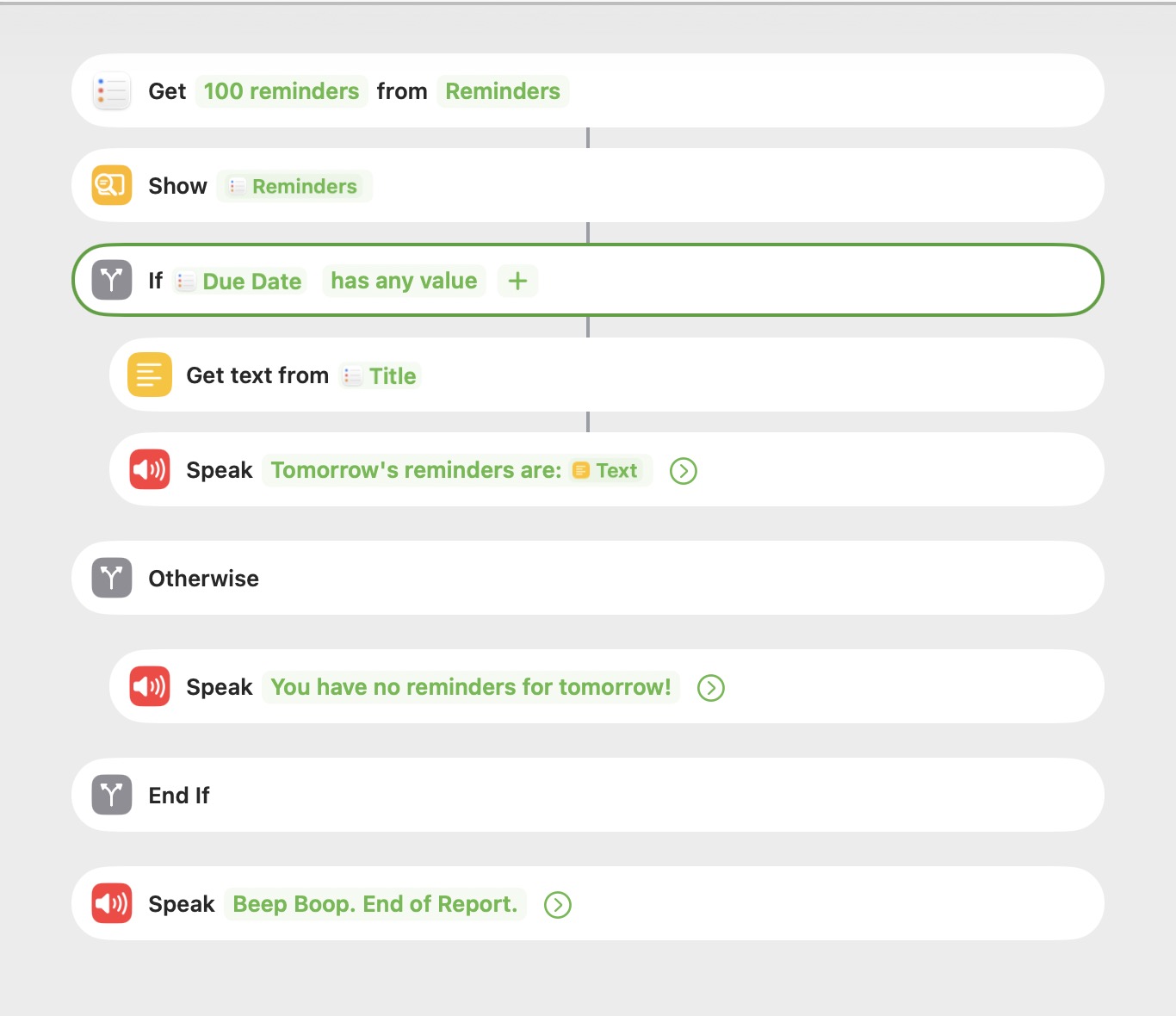
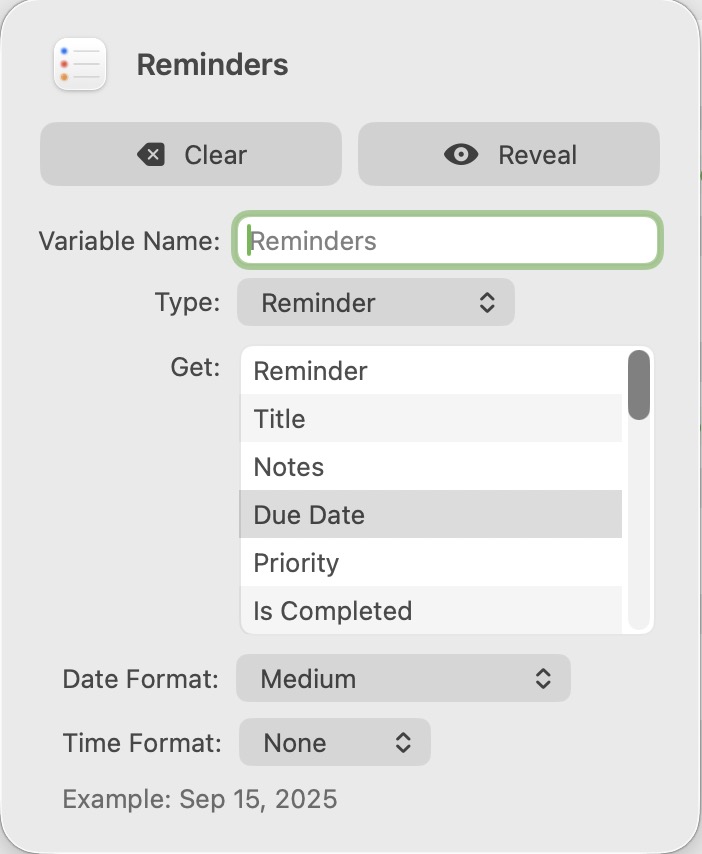
Hi: I was creating a shortcut to show me only the Reminders that have a “Date” of “tomorrow”. I’m pulling from my “Reminders” List specifically (and not the 20 others I have). But when I set “Due Date” to “has any value”, I get EVERY Reminder, even those that are only location-based, and have no Date assigned. Because I thought I was losing my mind, I added a “Show Reminders” action and it’s showing all of the Reminders it pulled, and I can confirm visually there are Reminders with No Date and others with Dates. But at the next step, it speaks Every Reminder. And this seems so silly and obvious. I have Due Date configured as “Medium” with No Time. If anyone has a suggestion as to what I’m missing or the logic behind why it’s behaving that way, I would greatly appreciate your insight. I’m running macOS 26.1 and iOS 26. 1. I’m creating the shortcut on the Mac. Thank you!
I guess it depends on whether a date in a reminder is empty, null, or something else.
Might this work for your needs?
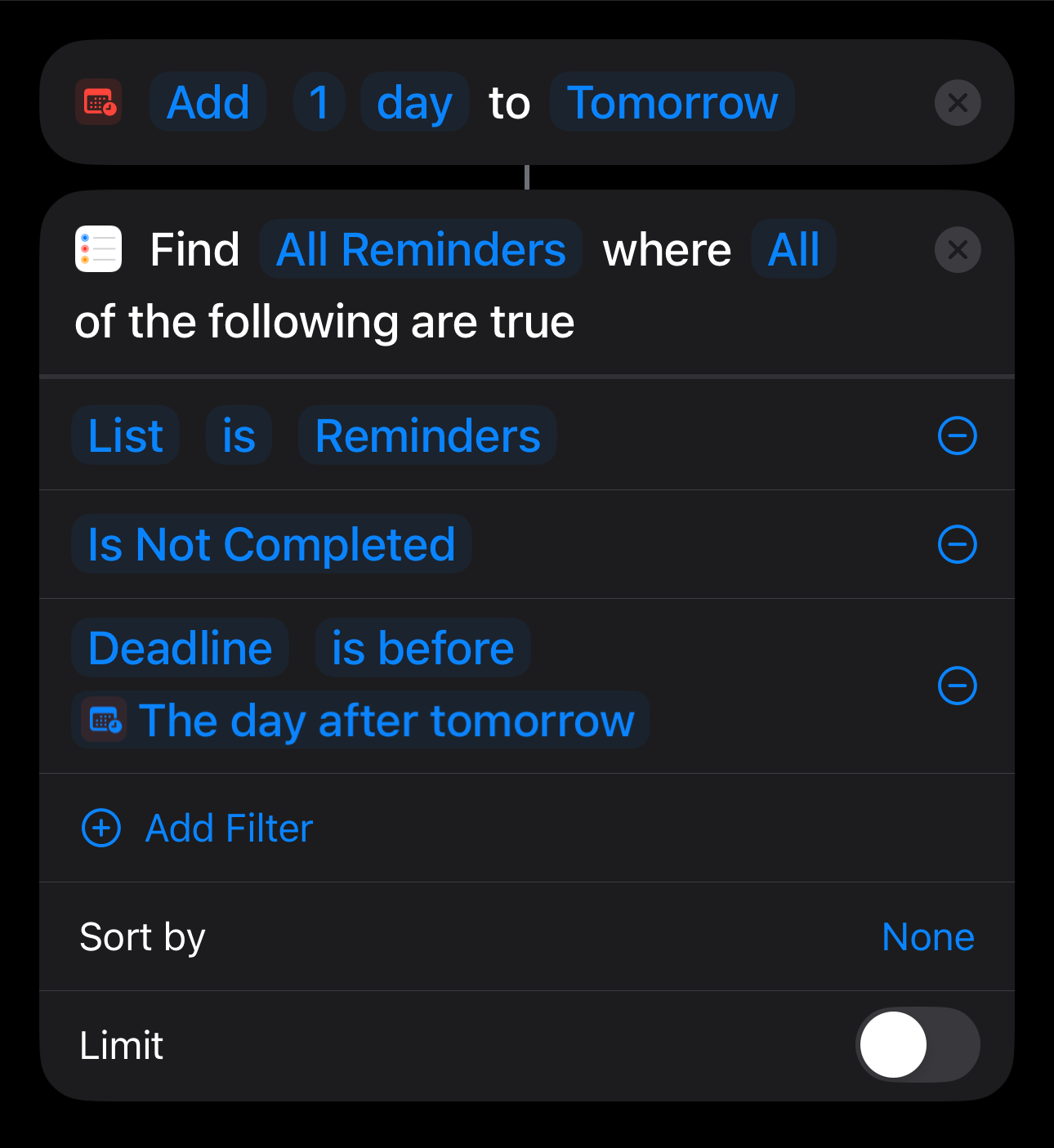
@sylumer Thank you so much for your suggestion. This does work for my purposes. Though I am curious why you are able to choose “Deadline” as a Filter. I had to use “Due Date” as there was no “Deadline” option. I appreciate your help! Have a lovely day!