Hi and I hope all are well.
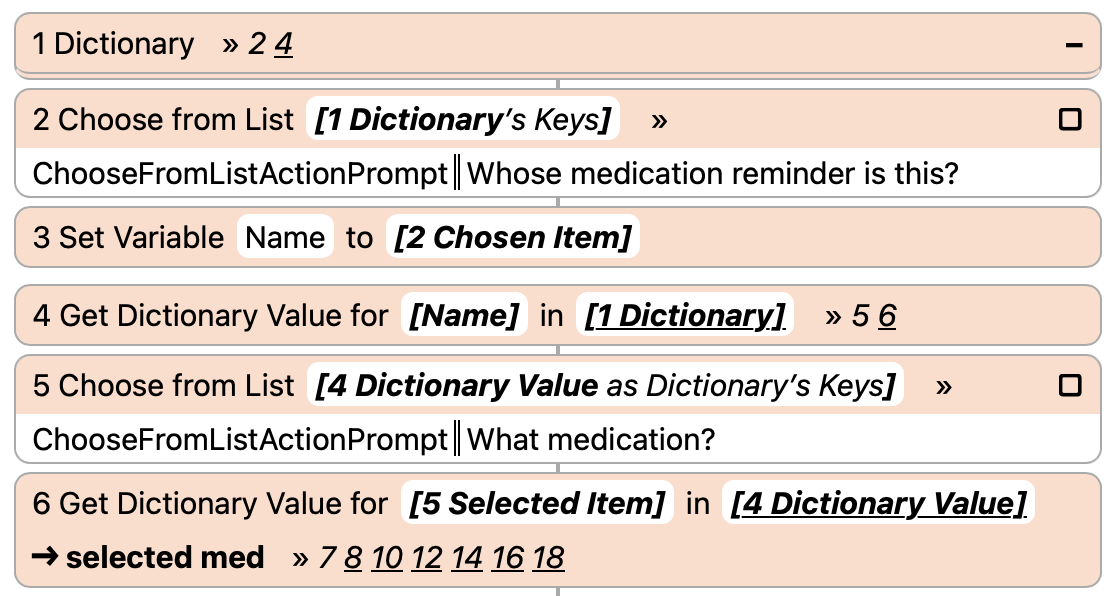
Let me preface this by saying that I put off moving from Sequoia to Tahoe until this weekend, for a number of reasons; but one was the overall below issue I have with Shortcuts and a particular one that doesn’t work properly in OS 26.3 (or earlier versions of it, I did test). I have used examples such as this solution (https://www.reddit.com/r/shortcuts/comments/1nqo2t9/dictionaries_not_working_the_same_since_upgrading/) to fix the version running on the Mac (so working now on Tahoe 26.3) but will not work on IOS 26.3.
-
This shortcut is for medication tracking, based on the following premise and setup:
Dictionary with Keys for individual people, that are themselves dictionary entries for medication, frequency of use, doses per pill, dispensing pharmacy and that pharmacy’s phone number.
-
When run, the shortcut asks you to select the user, medication and then two additional questions:
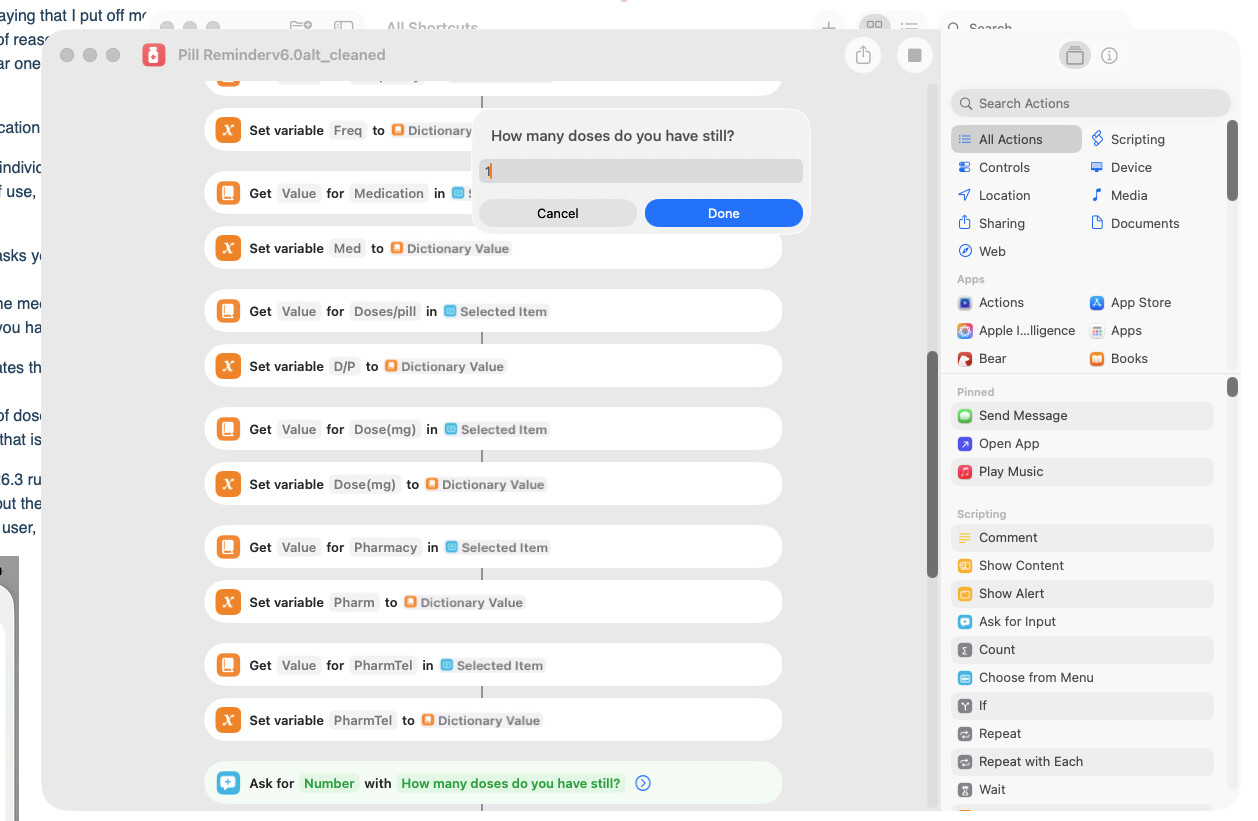
a. How many doses of the medication do you still have?
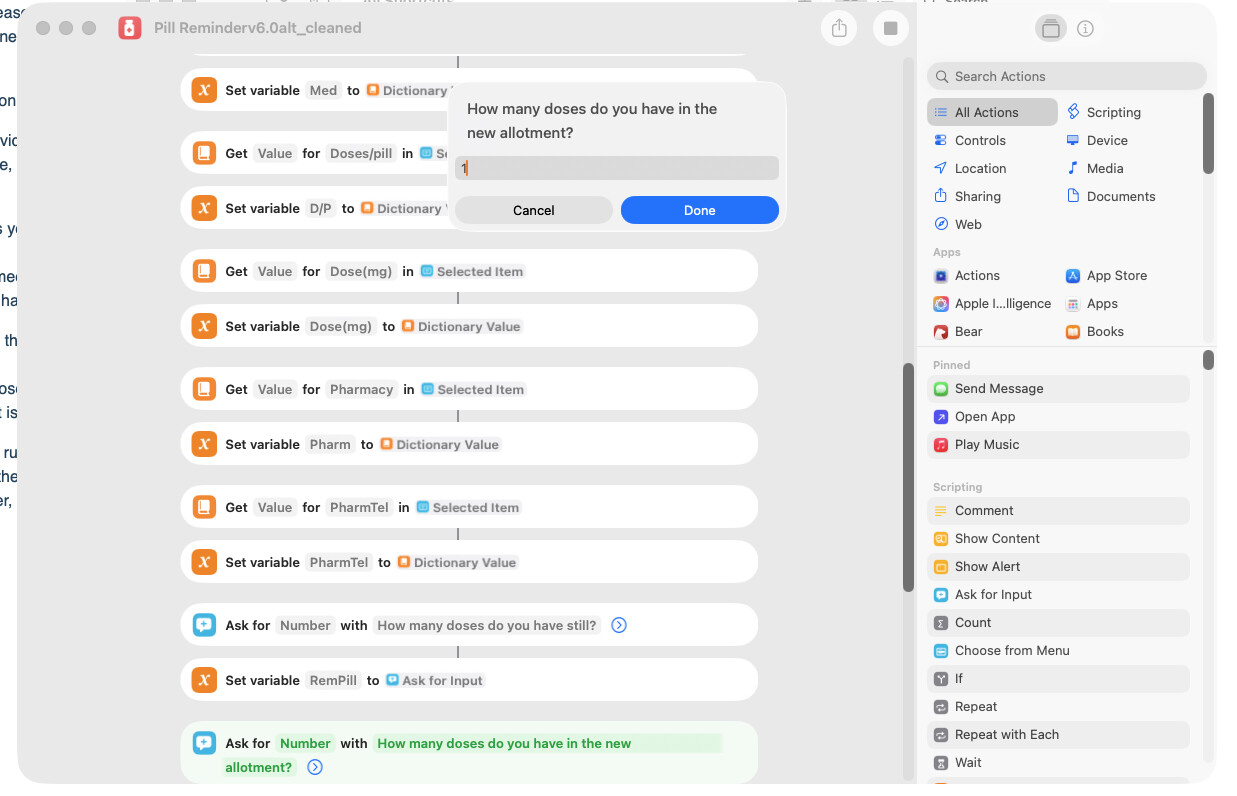
b. How many doses do you have in your new refill? -
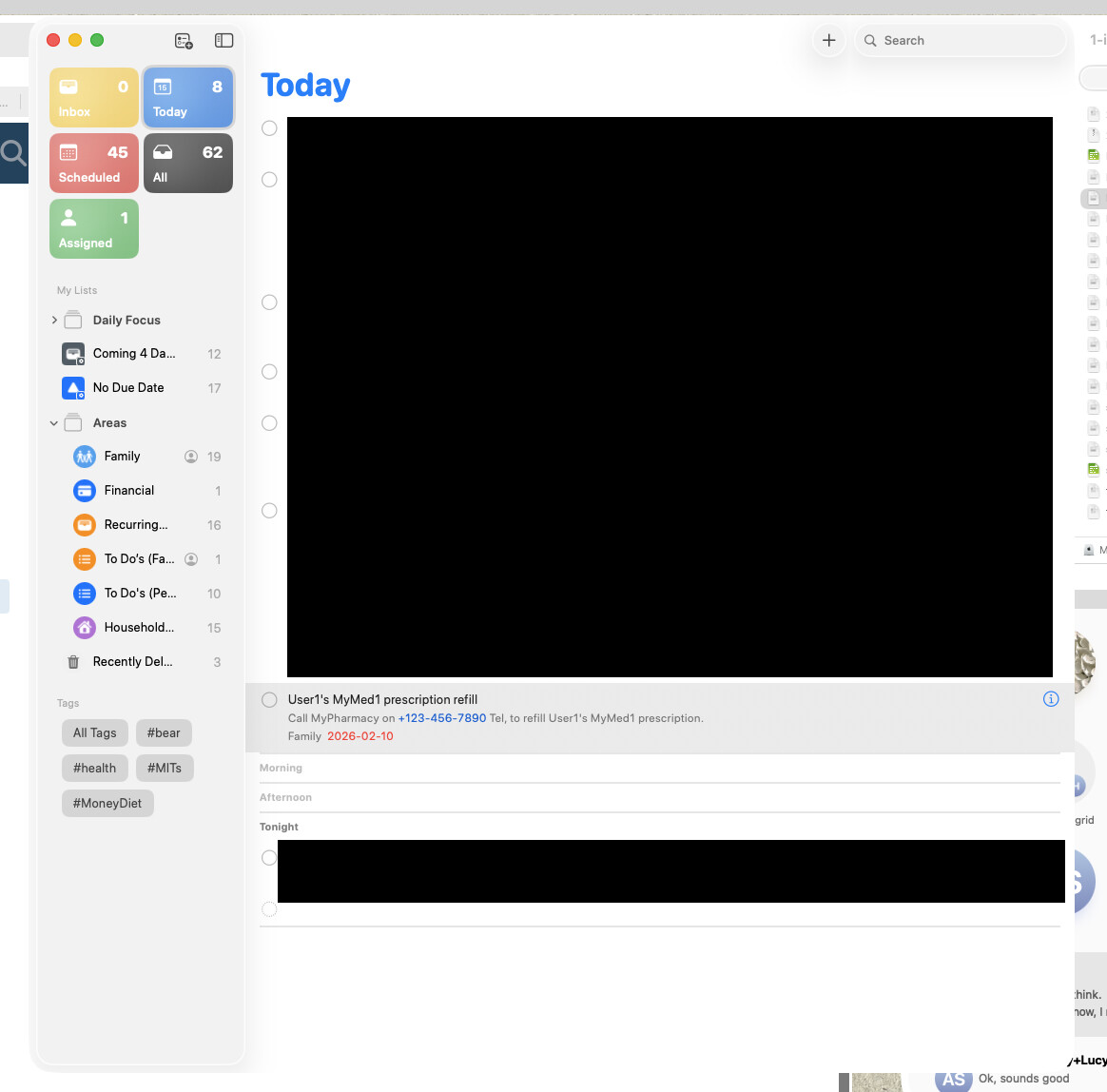
Once #2 is run, if calculates the date you need to call the pharmacy to refill, so you won’t run out:
calculation is: (‘number of doses you have’+’number of doses your refill has’)-5. This then calculates the new date that is added into the Apple Reminder event to call the pharmacy.
The issue is, Mac OS Tahoe 26.3 runs the below shortcut without issues and didn’t before I did do some checking and fixes; but the fixes only work on the Mac, I still have errors on the IOS 26.3 where after selecting the user, I have the attached image and cannot move past it to fix.
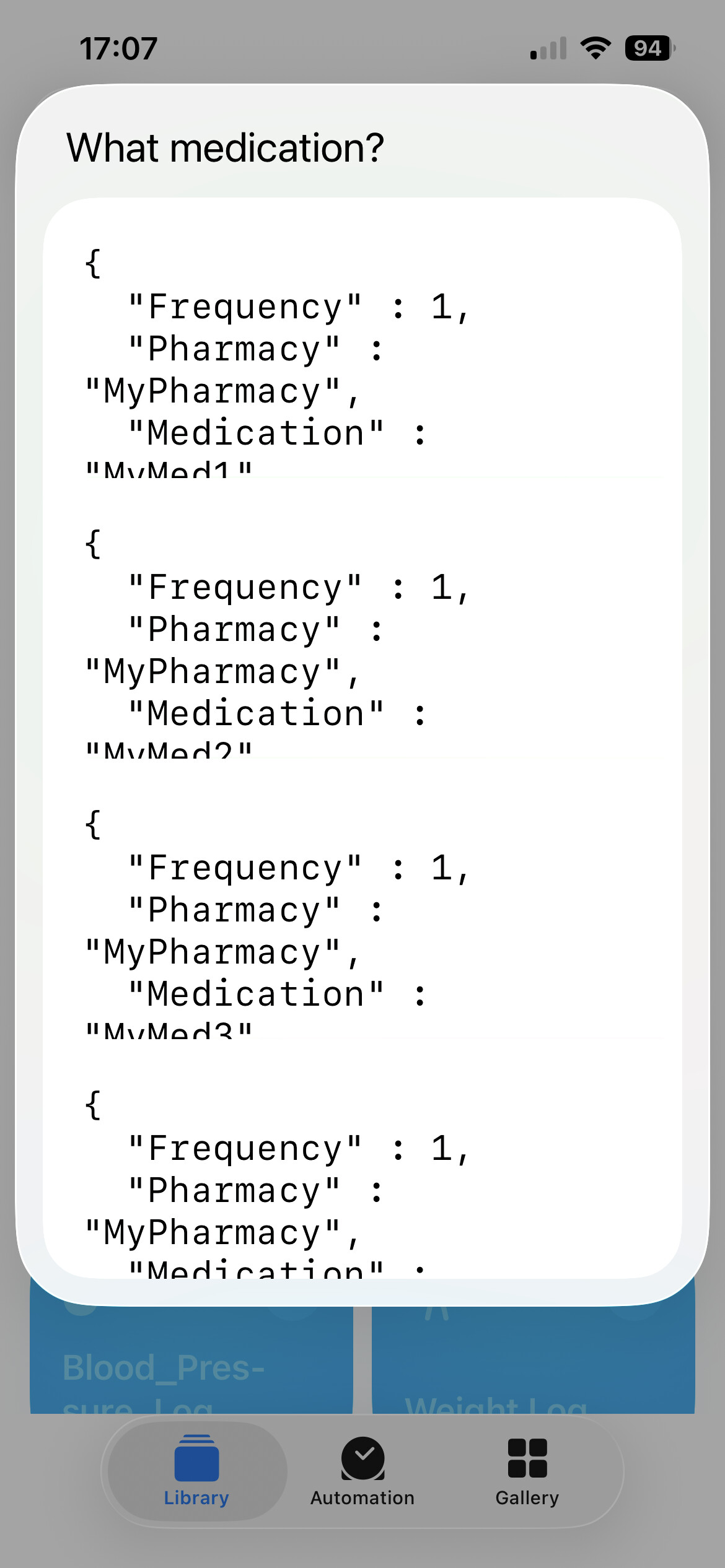
I have followed an example shortcut that did note a solution to this apparent issue and that’s why the Mac version of the script runs; but on IOS, no luck.
I’d appreciate any help one can suggest, as I have been working on this on and off since October and cannot get both IOS and Mac versions of the same (and yes, iCloud synched) to run without one throwing an error.
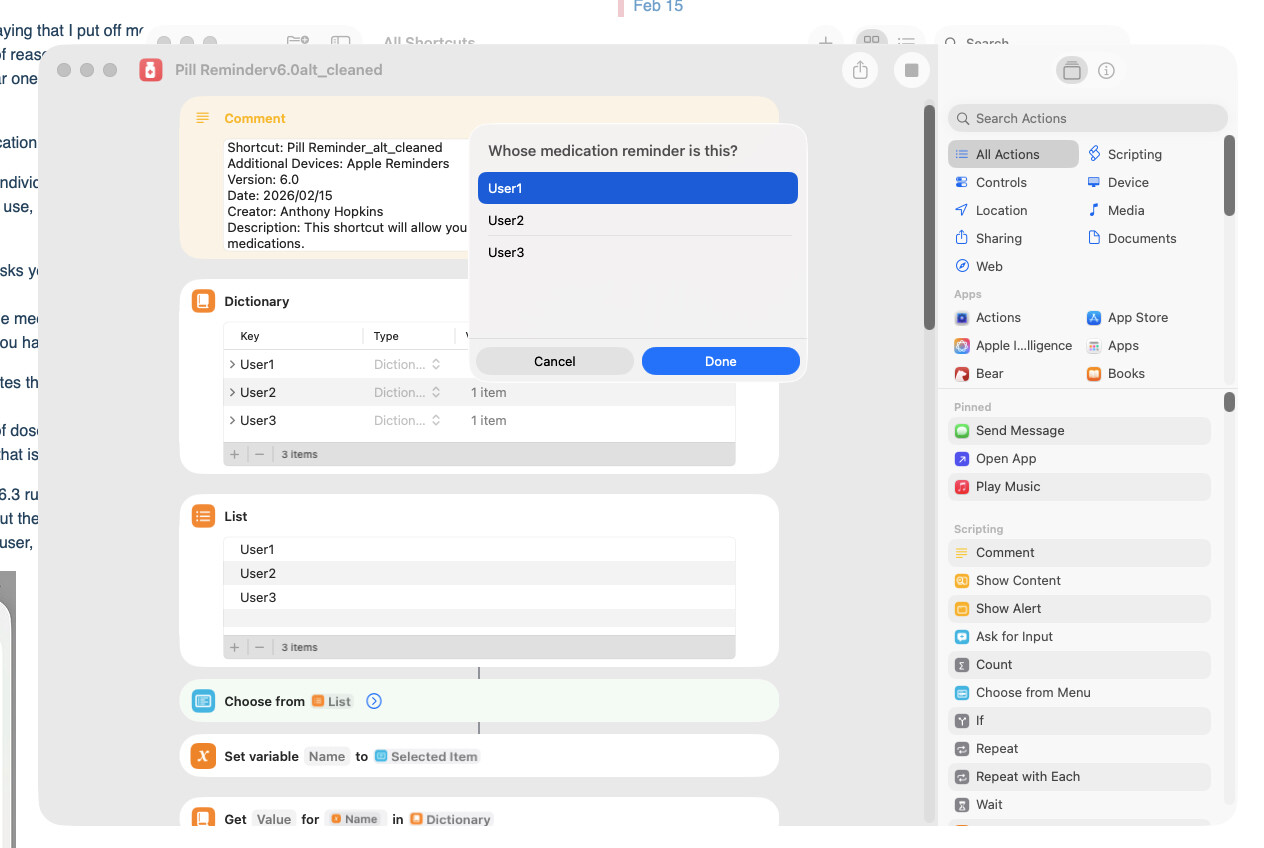
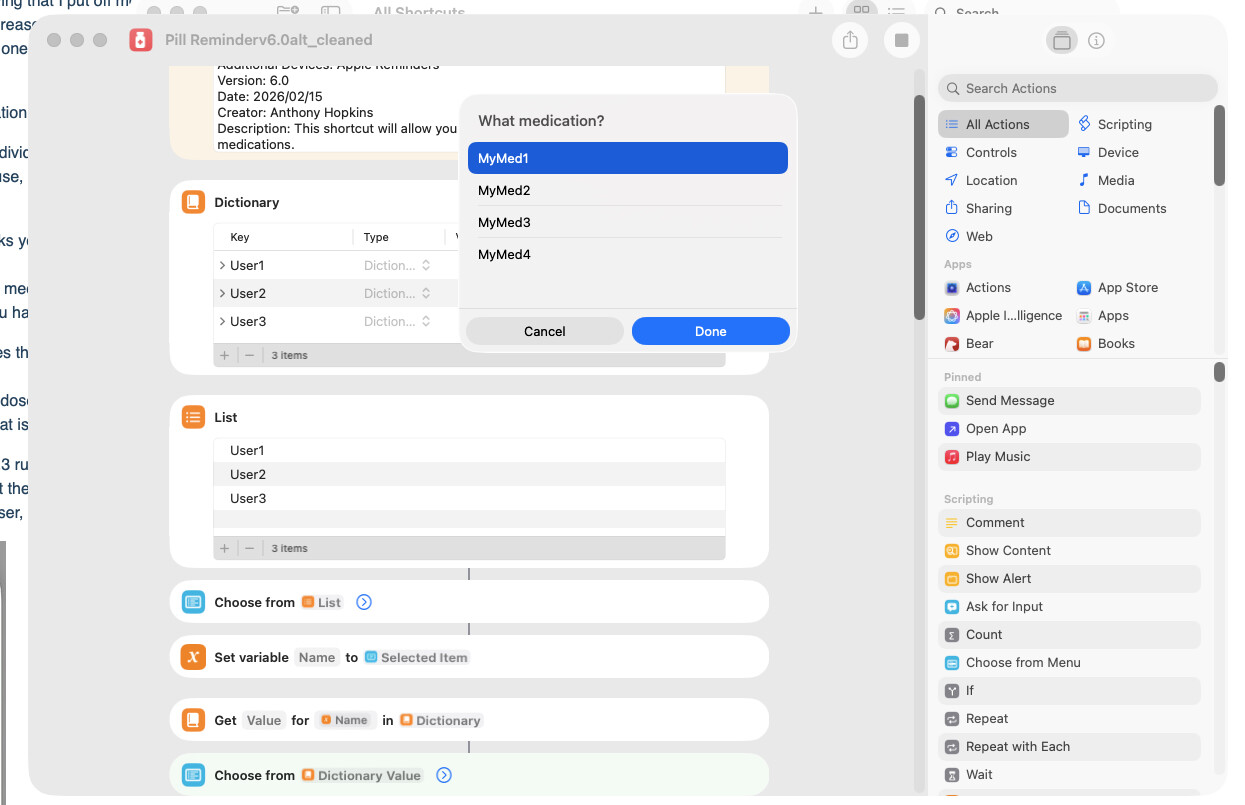
The shortcut runs fine on Mac (as per images below)
- Selecting User
- Selecting Medication
-
Adding how many doses you have left:
-
How many doses are in your new refill:
-
Shortcut run and added to Reminder:
Link to the cleaned shortcut: Shortcuts
Cheers,
Anthony