-
I know from previous experience that Keyboard Maestro can run into trouble with manipulating the UI when the screensaver is on or the screen is locked.
-
Every other Un*x in the world includes
wgetby default, but macOS does not, so you’d be better off usingcurlwhich is included by default. -
Referring to Keyboard Maestro variables in shell scripts uses the prefix
$KMVAR_foo(not$KM_VAR_foo)
However, any command line attempt will probably fail because of this detail:
The NY Times Crossword is a paid service, and so you have to be logged in to access these PDFs.
I am guessing that @Marc_K is logged in to the NY Times website in Safari, but he would not be with wget or curl so he would get a 401 Forbidden error like I did when I just tried this.
So, we’re back to needing to run this when we know that the screen is not locked and the screensaver is not on.
Fortunately, Keyboard Maestro is smart enough to handle this. We can use the SCREENSAVER() calculation in Keyboard Maestro:
Quoting https://wiki.keyboardmaestro.com/function/SCREENSAVER:
The SCREENSAVER() function returns whether the Mac is currently displaying the screen saver (or the display is off). It returns 1 if the screen saver is running, or the display is sleeping or locked. Generally, if it returns 1 it is probably not safe to perform UI.
Note that although it is called SCREENSAVER it also applies if the screen is off (and presumably locked).
How to tell UI commands to wait until the screen is unlocked/available:
Put this at the start of the macro:
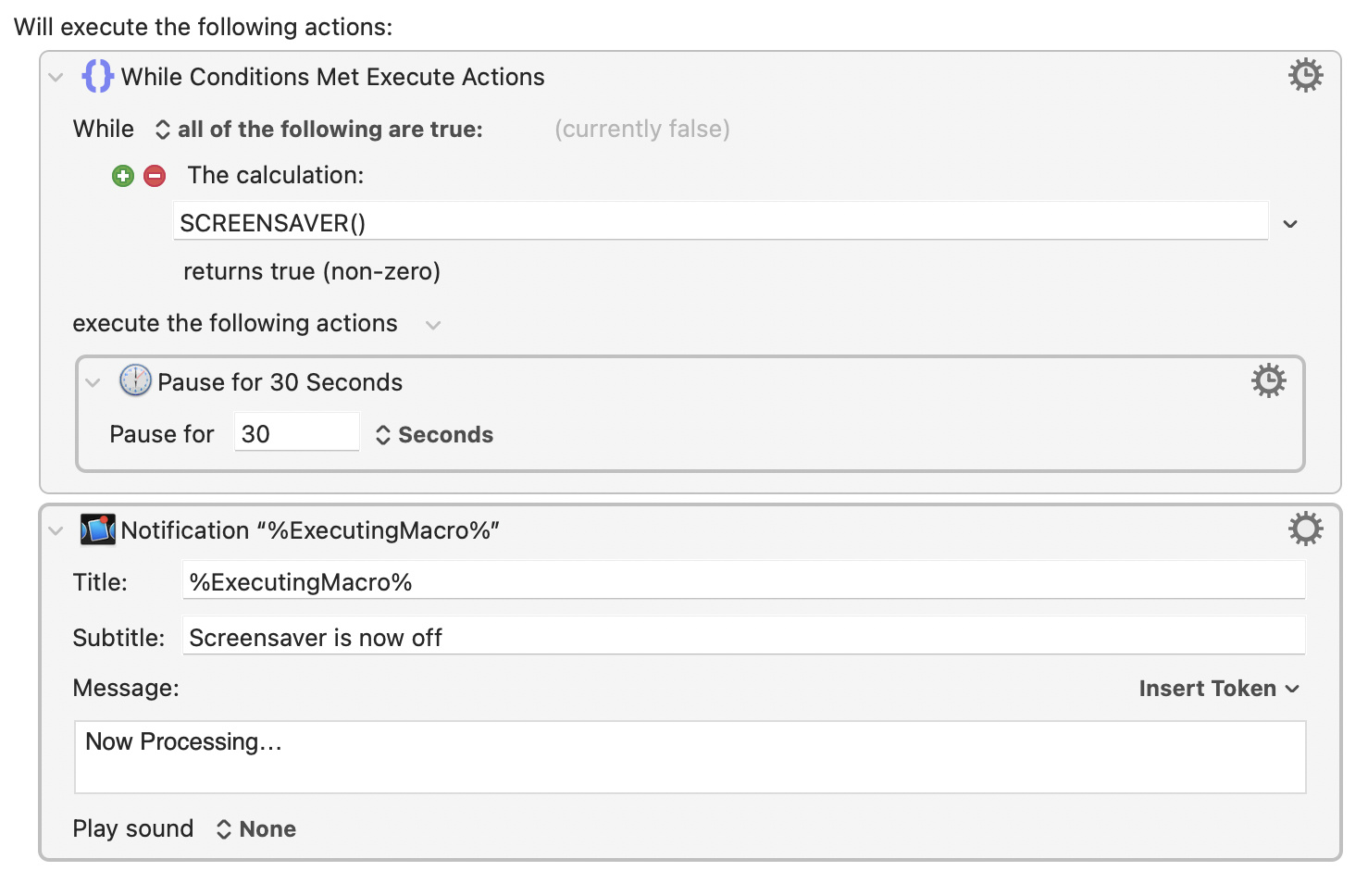
which basically says: While SCREENSAVER() is true wait for 30 seconds.
Aside: if you do not have a password on your Mac, you could also have Keyboard Maestro run Wake Screen and Stop Screen Saver at the start of the macro, but I am guessing that chances are that your Mac would require you to enter your password at 6:00 a.m.
The downside to this is, of course, that it can’t really run unattended, so you’ll have to be logged in at least once per day for it to run.
However, I don’t know any way around that.
It will show a notification before it starts to run, so you’ll know not to interfere with the mouse and keyboard for a few moments while it runs.