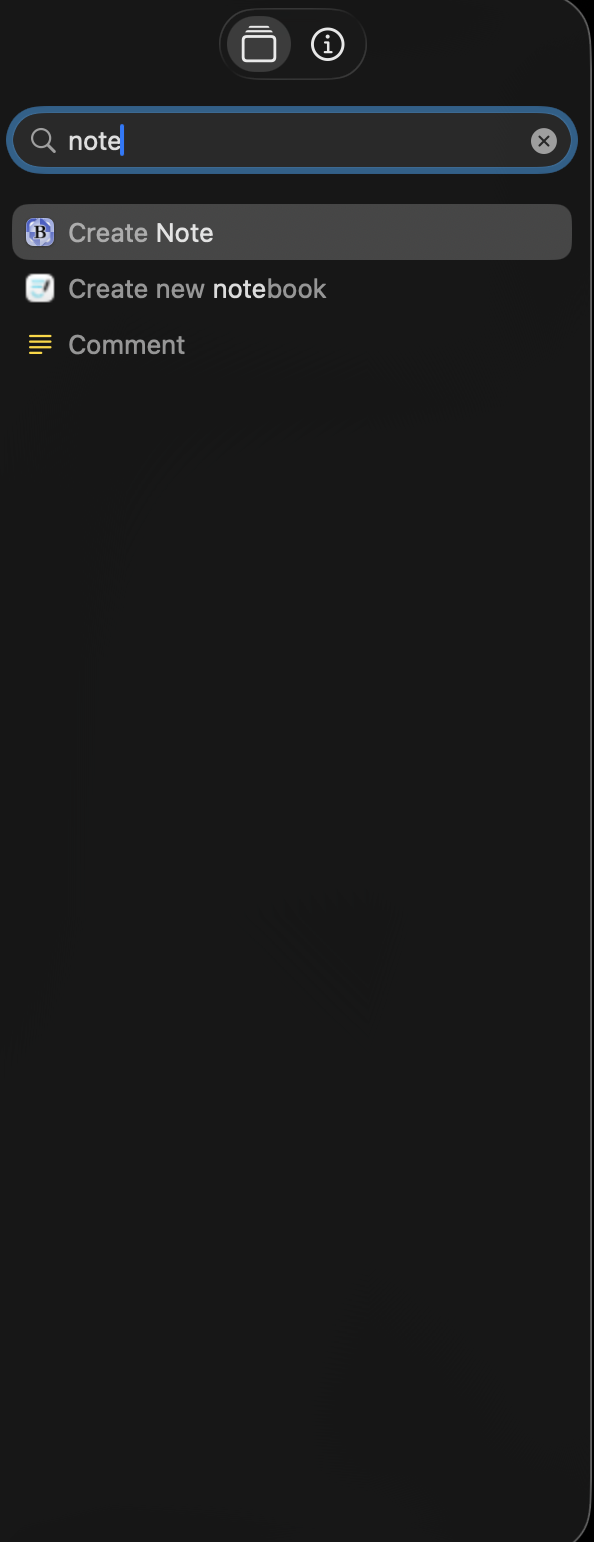
Hi - I wonder if anyone has come across or solved the following bug:
On 1 of my Macs (Studio M4 Max, Tahoe 26.1) all Apple Note shortcuts actions have disappeared.
i.e when you type ‘Note’ into the actions search field in the side bar, no Apple Note actions appear and if you scroll down to the app actions, Apple Notes is not visible. The app is still syncing from iOS and other Macs where Apple note actions are visible as usual. Its behaving like Apple Notes is not installed on the Mac.
I have tried the usual rebooting and toggling full disk access for shortcuts but Apple Note actions remain missing. I suspect that there is a PLIST that will need to be deleted to force shortcuts to reinstall it’s database of available intents but I can’t find that from googling around.
Mac Shortcuts easily wins the award for the most frequent and most crazy & obscure bugs in our eco system.
screen shot showing - No notes actions!