I use a similar rule to rename and file invoices when they land in my Downloads folder, and then open them for printing.
I solved that problem with a command-line utility called pdftotext (part of the open-source XpdfReader), which I call via an Applescript. Here’s the rule:
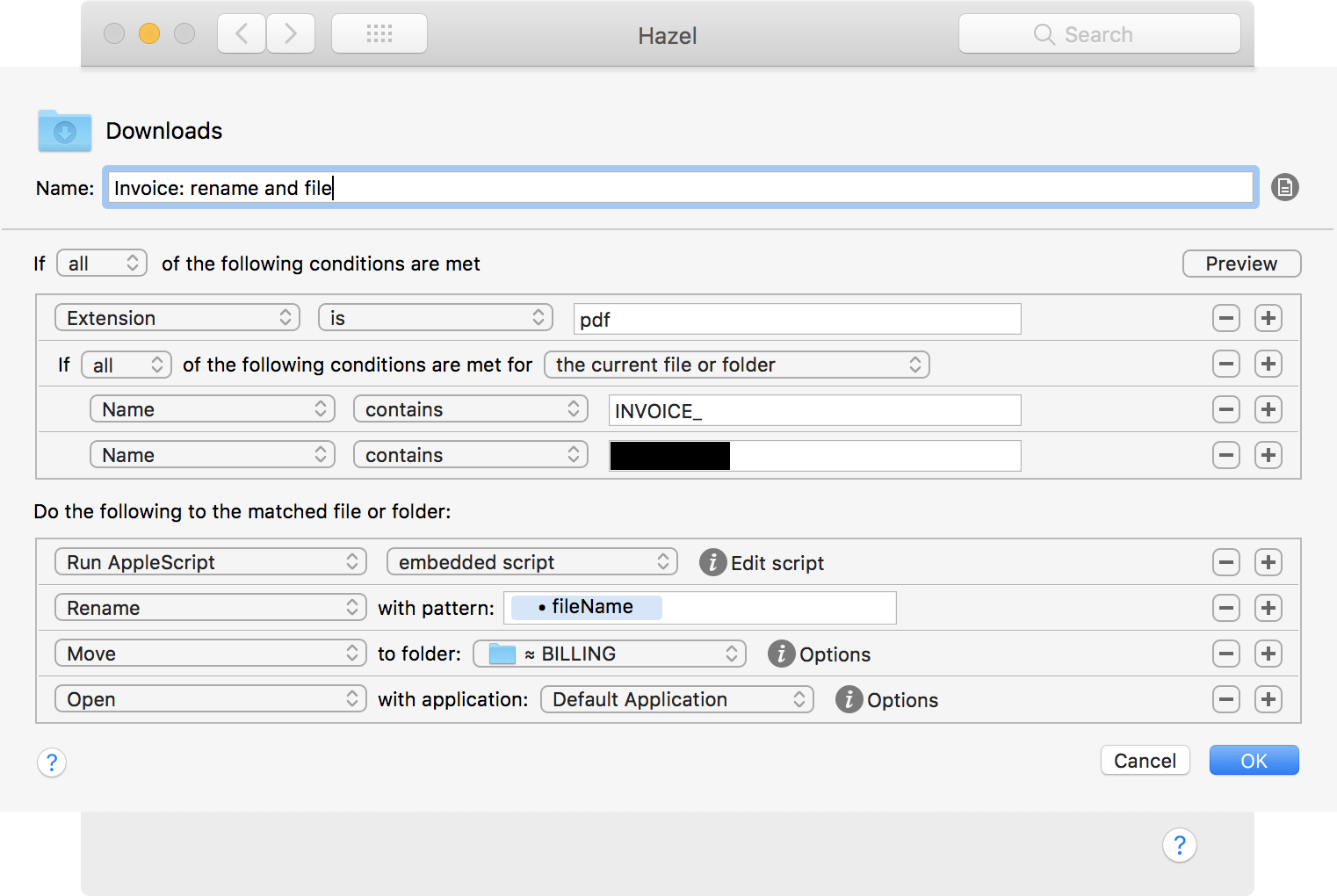
And the script, embedded in the first line of the rule:
set itemPath to quoted form of POSIX path of theFile
tell application "Finder" to set fileName to name of theFile
set clientLine to do shell script "/usr/local/bin/pdftotext -raw " & itemPath & " - | grep 'Invoice For'"
set clientName to ((characters 13 thru -1 of clientLine) as string)
set clientName to do shell script "echo " & quoted form of clientName & " | sed -e 's/ //g'"
set fileName to do shell script "echo " & quoted form of fileName & " | sed -e 's/Creative_Q/" & clientName & "/g'"
return {hazelExportTokens:{fileName}}
I don’t know if there’s an easier way to do this, or one without script dependencies, but this has worked reliably for me.