I’m having no luck creating a shortcut like this. I’ve searched several large shortcuts galleries and found nothing that does this. I’ve also queried Perplexity and ChatGPT, getting numerous instructions, but none of them work. It seems like it should be so simple!
On my Mac and iPad, I’d like to select some text, run the shortcut, and find that text appended to a specific Apple Note. Most of my research indicates it would be something like:
Copy to Clipboard
Append Clipboard to Capture (maybe proceeded by a Get Clipboard action)
I’ve made one that lets me dictate to text that gets appended to the note, but I haven’t found a way to put the selected text into the note.
Thanks for the quick response. I’ve had a few issues, probably just due to my ignorance!
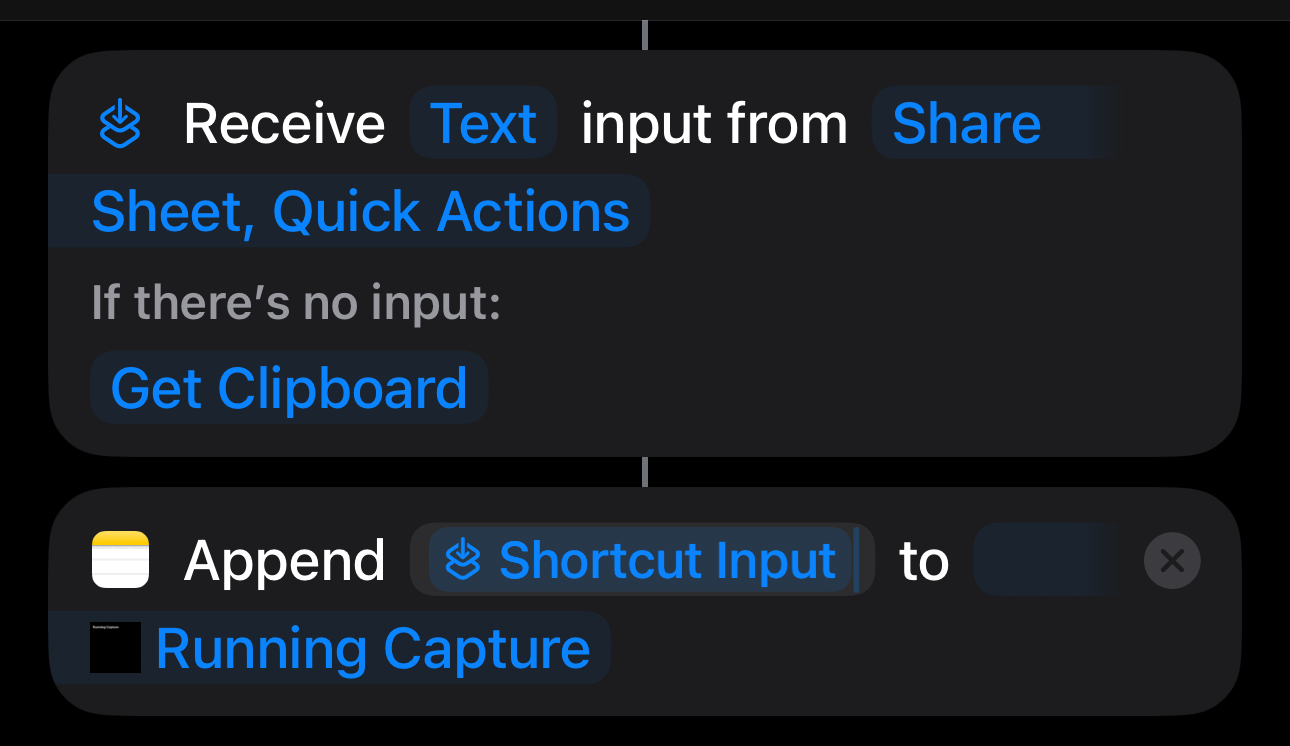
I don’t see a Shortcuts action named “Receive.” (doing this on a Mac) Is the idea to have the shortcut get no input from the Receive action, and let it fall back to the clipboard?
Also when I add the append action (for Notes), “Shortcut Input" is not offered in the pop-up.
Also, it appears that shortcuts cannot copy selected text to the clipboard. I could work around that with Keyboard Maestro, but I’d like something that works on all my devices.
And if possible, I’d like to avoid manually issuing a copy command and then giving another command to run a shortcut to paste it into the note.
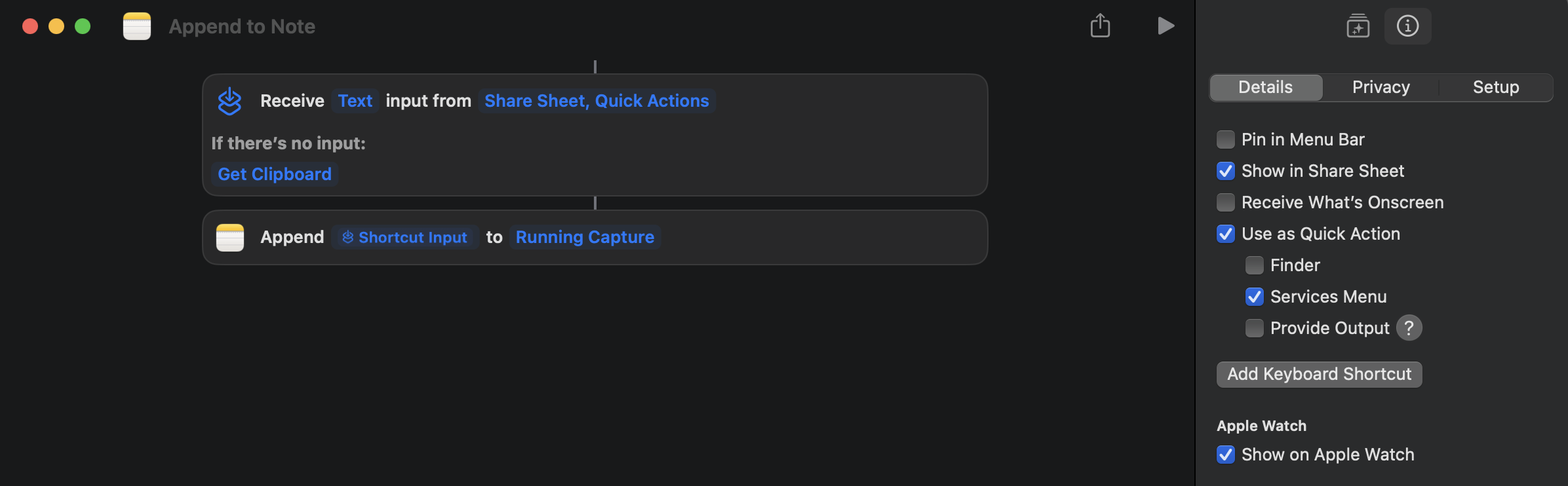
This will enable the shortcut input. It isn’t an action. More a definition.
Narrow that down to text as that is what Notes accepts (unless the very latest version allows for more).
When. you select text to be added to your note, right click, go to the services menu and select your shortcut. This will run the shortcut with the selected text as input, no clipboard copying required. Just using the standard Services/Quick Action architecture.