Automation to check a value on a website

Hi, there!

I sincerely hope you all are well.

I would like to know from you if it’s possible to create an automation to check my car’s selling price periodically according to the FIPE table, accessible through the URL below:

Once this automation got to the website’s main page, it would be need to click and choose three values on three dropdown menu in order to have my car’s selling price.

Thank you all in advance.

My Portuguese is very limited, but it looks like there might be an API available for this data set.

Whatever platform you are using and whatever automation tools you have available, the chances are the API will be an easier option than populating and submitting a web form and then scraping the updated page for the output.

Hope that helps.

@sylumer, thank you so much once more for answering me, dear. I was thinking about achieve this goal by using an iOS automation, but maybe it isn’t possible. I have no idea on how to do it.

On iOS, your best option would probably be to use Apple Shortcuts. If you are unfamiliar with it, there are many resources available on line to help you learn it.

Shortcuts could support periodic checks via its Automations feature which allows you to schedule a shortcut to run. It could then write results to a file, show a notification of the price reached a threshold, etc.

Some third party apps allow t you to add widget functionality to Shortcuts, which could be another option got you to consider.

It is also worth noting that Scriptable could be another choice, but I get the feeling you are unlikely to be familiar with programming in JavaScript.

When you have a basic familiarity with Shortcuts, take a look at Apple’s intro documentation on how to call an API.

You shouldn’t need much of anything beyond this. You send your data to the API, and you get a few bits of data back from which you pick the data you are interested in. It actually looks to me like an ideal beginner’s practical challenge to learn a little about how to query an API in Shortcuts - which opens up a world of opportunities thereafter.

If you do have any issues or questions, you can always post the details back here on this topic, and it would be great to include your final solution here when you have it.

3 Likes

Hello, dear @sylumer. I’m sorry about the delay on answering you.

At first place, once more, thank you so much for your insights and generous directions.

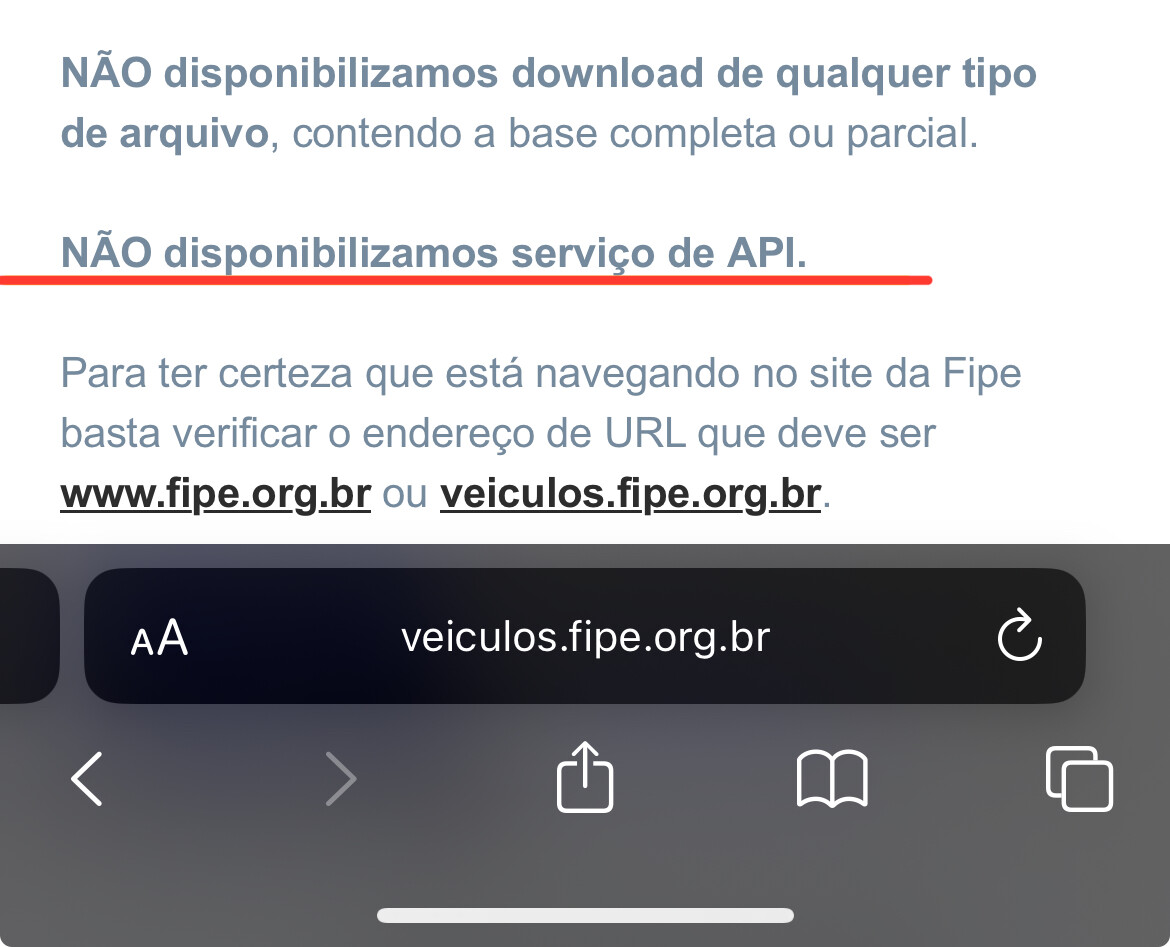
I ran into the message below on the website https://veiculos.fipe.org.br/, which is supposed to send me back the data I would like to receive:


Free translation: We don’t provide API service.

Even after coming across to this warning, is it possible to achieve my goal by using Shortcuts?

Thank you in advance. :wink:

While the site you linked to do not provide an API, the site I linked to, a different site, does provide an API. as I noted previously, I think this is for the same data set - but I cannot guarantee it.

Without the API, It would be significantly more difficult to do what you want on that web site. Not impossible, but definitely harder, and should they change the website in some way, it would be much more likely to break any automation. This is unlike the API, where changes would be more structured and are far more likely to be non-breaking - they are designed to work like that.

@sylumer, hello, dear. I sincerely hope you are great. Once more time, I apologize for the delay on replying you.

I’m heading here to tell you that I’ve found another website which one I think it would be possible to get the information I want from.

Here it is:

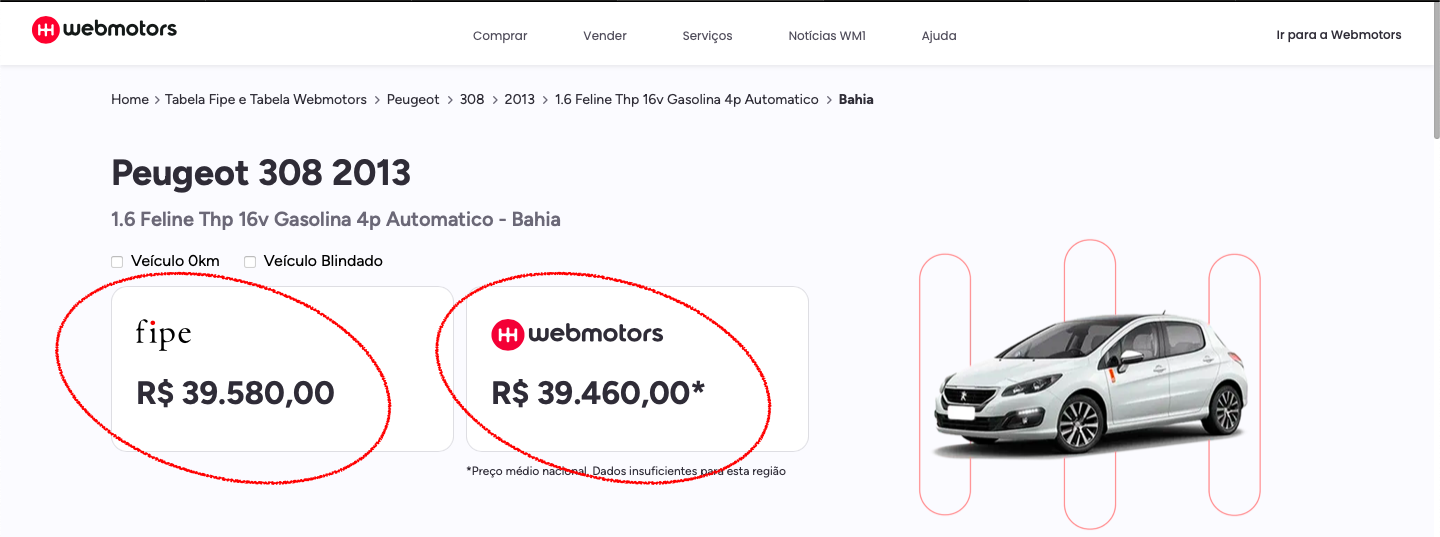
https://www.webmotors.com.br/tabela-fipe/carros/peugeot/308/2013/16-feline-thp-16v-gasolina-4p-automatico/ba

I would like to obtain these two red circled values and show them on a widget I intend to set up from a shortcut. The idea is to update these values daily at a specific time.

Do you think it is possible, dear?

Thank you so much in advance.

There is almost always a way, but being limited to iOS can be an issue.

Overall if you do not use a versioned API then the risk remains as before. However, this shortcut shows a way to access those values based on a regular expression match of the content.

https://www.icloud.com/shortcuts/cff16fc7c3354a94b0b7684fc07dd43d

You should be able to build on this example for your own needs.

1 Like

No words to thank you, @sylumer. You’re just amazing. :star_struck:

Thank you so much for your attention and time dispensed to help me.

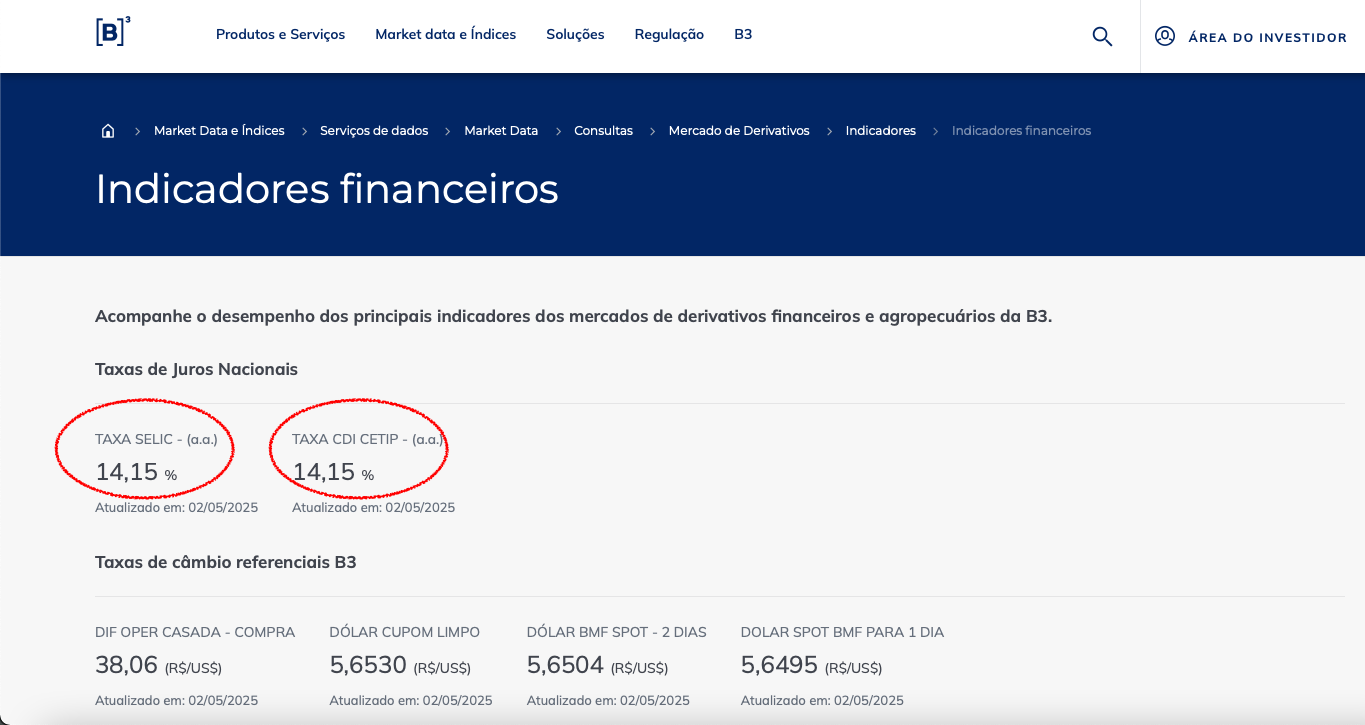
@sylumer, if you can, give me a clue for this scenario, please. The situation is practically the same, but now I would like to get another value from the following website:

Specifically these two red circled values above.

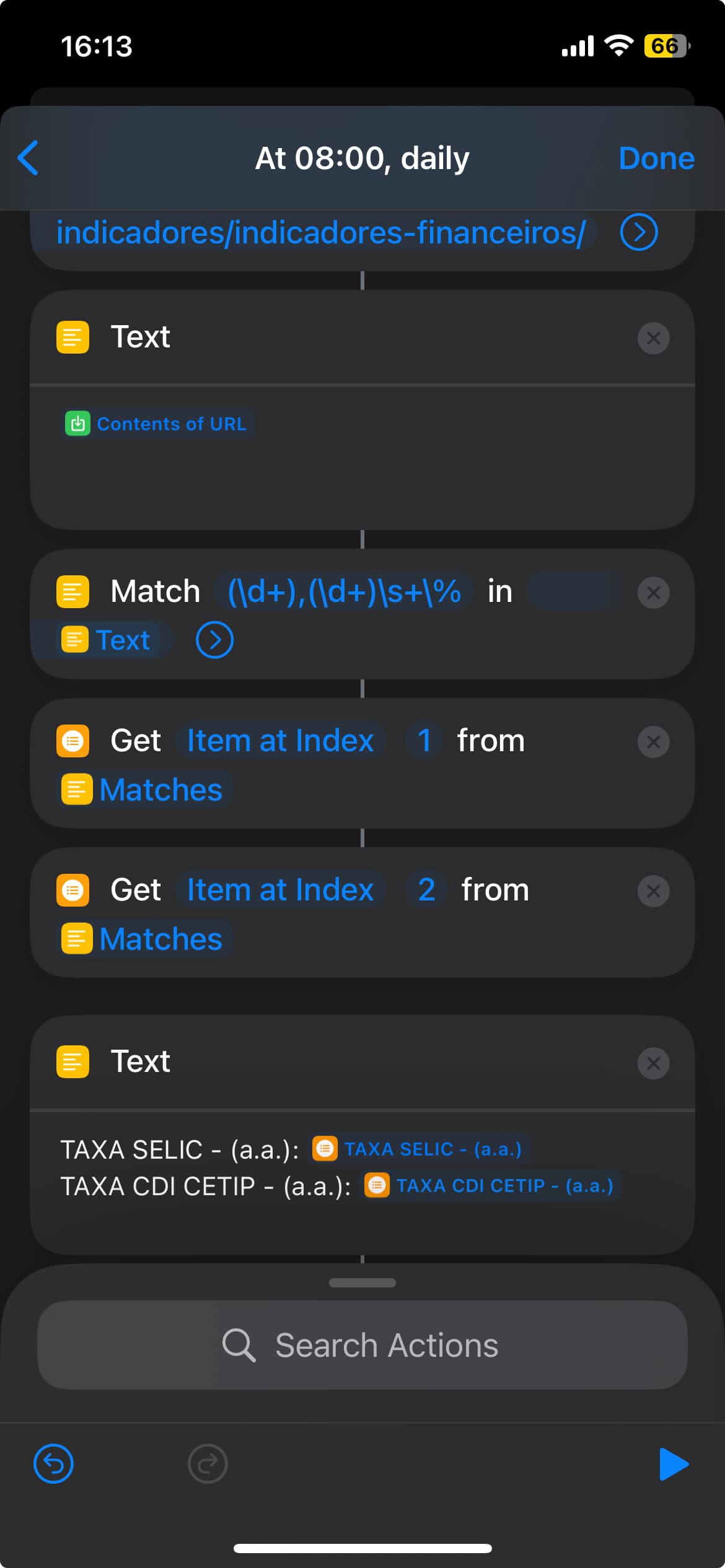
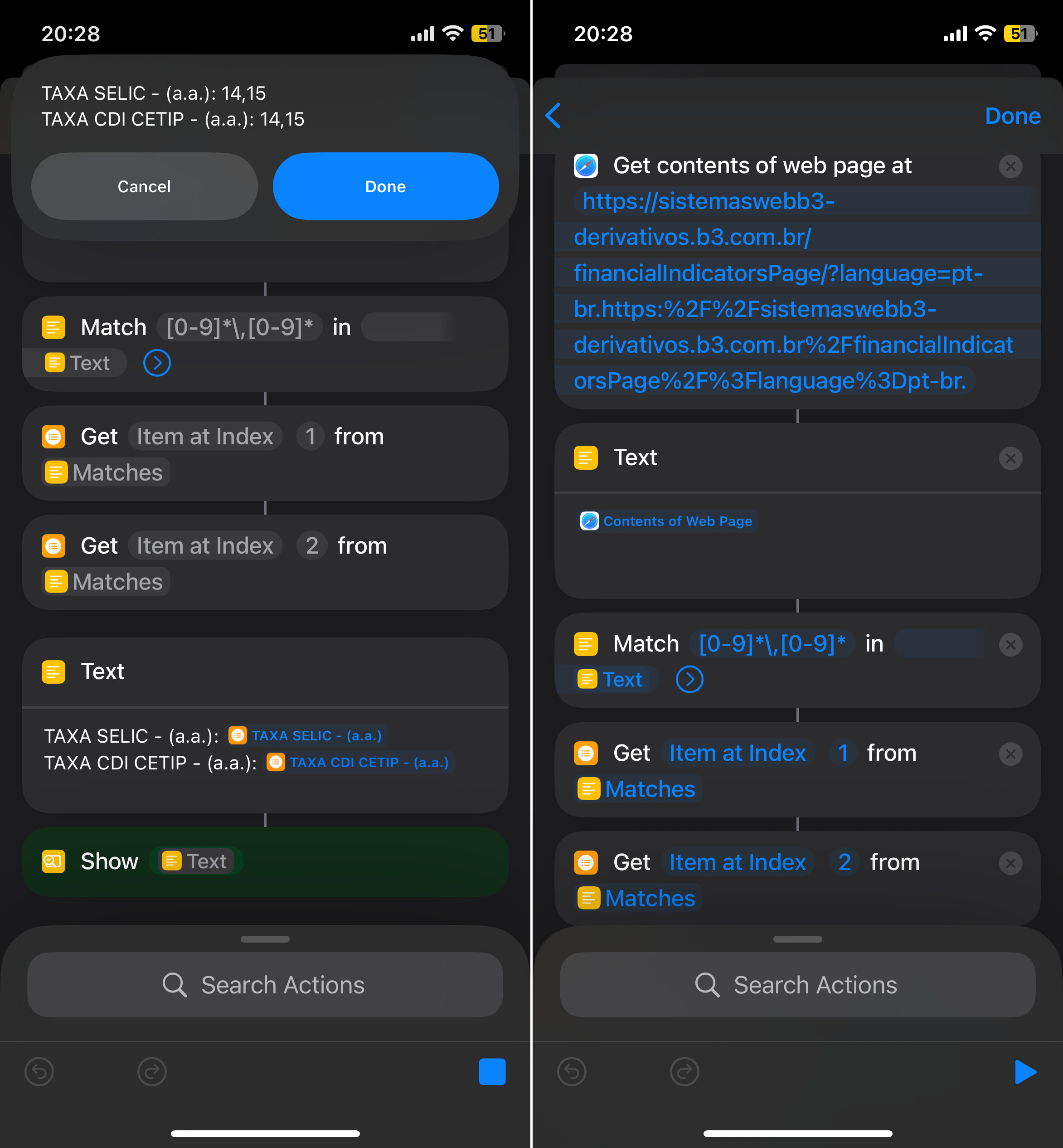
So I got here based on your example only to practice:

But the problem is that it’s not bringing me the desired values, instead it returns nothing.

Thank you in advance.

Okay, so we are back to you really wanting a proper programming interface to access data.

If you grab the text from that web page the same way I did for the other page you shared …

… and then look at the text returned…

Ir conteúdo Ir menu Ir rodapé
Campo de busca
pt_BR
	•	en_US
	•	es


Voltar
Indicadores financeiros
	•	Home
	•	Market Data e Índices
	•	Serviços de dados
	•	Market Data
	•	Consultas
	•	Mercado de Derivativos
	•	Indicadores
	•	Indicadores financeiros


Metodologia - Indicadores Financeiros


… you can see it does not contain those values.

If you view the same URL in your web browser, it does.

Shortcuts is not a web browser. It is not able to fully render a page - especially if that page is made up of multiple frames and multiple source pages like this new one is.

Instead, you probably want to target a different URL - one of the framed urls - https://sistemaswebb3-derivativos.b3.com.br/financialIndicatorsPage/?language=pt-br. If you view that page in your browser you see a page with a lot of the other bits of the original “page” removed - but one that includes the percentages you are after.

However, if you do the same check on the output for that frame URL in Shortcuts, you get the following output:

No, I didn’t forget to paste in the result. You get nothing,

Looking at the content of that page it is 95% JavaScript and CSS. Again Shortcuts is not a browser. When it gets the content of the URL, it gets the content of the URL. It does not render the page at the URL, pulling in all the other referenced resource files and running the JavaScript.

As I noted earlier, automating on iOS for web interactions can be quite limiting. You could probably utilise an app such as ShortWeb with Shortcuts to render the page and allow you to get the data, but as I’ve noted, you are relying on the websites not to change their layout or structure. If the data was held in the web page and they were just changing the rendering that would be one thing, but they are retrieving data from somewhere (a CMS linked to some other system or direct from that other system), so the ideal would be for you to reference that directly too.
1 Like

@sylumer, great explanation. Thank you so much for the class and patience.

@sylumer, let me get back to you, buddy, to bring good news and said that without your directions, it wouldn’t be possible at all.

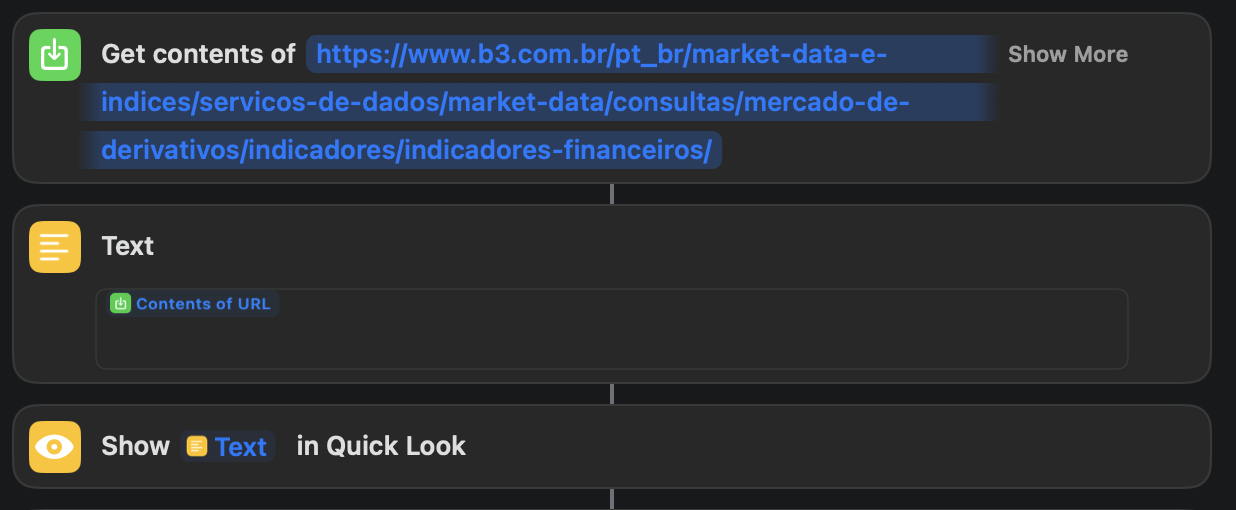
After reading your last post, I decided to browse over others shortcuts actions and I end up finding another one called “Get contents of web page at”. So I’ve noticed that this one does render webpages, surprisingly.

Take a look at this, please:

Thank you so much. :slightly_smiling_face:

1 Like

My apologies. I did try that last night to see iif it would render enough of the content and I still got an empty result. I must have done something wrong in my test because it does work today when I retried it. The only rational explanation is human error on my part on my original check.

1 Like

Oh, you don’t need to ask me for apologies. You have helped me a lot, I wouldn’t have to achieve my goal without you at all. Thank you so much.

By the way, do you know any regex that matches the most recent date from a list?

Regex could match dates to create a list but you need to programmatically sort the list. Shortcuts can do this by “pretending” any list of dates you are working with are files.

https://www.icloud.com/shortcuts/5bb0be9e598b46f48a4c97ac6bdbb68d

1 Like

Hello, dear @sylumer.

I’ve found another website to get these values with more trusting information, so I’ve decided to change my prior automation in order to suit it. But since then I’m facing some troubles doing it.

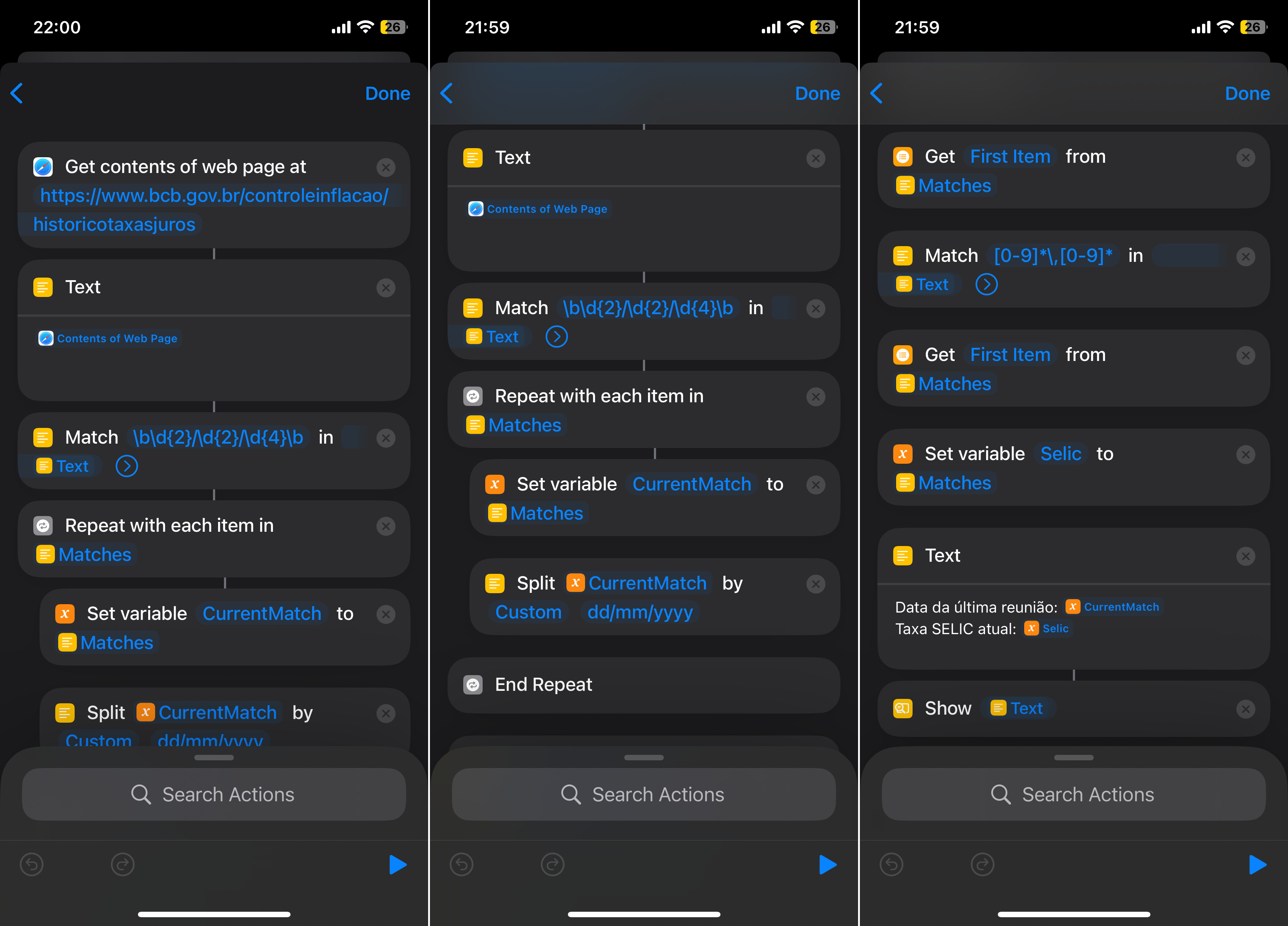
Here it is where I’ve got so far:

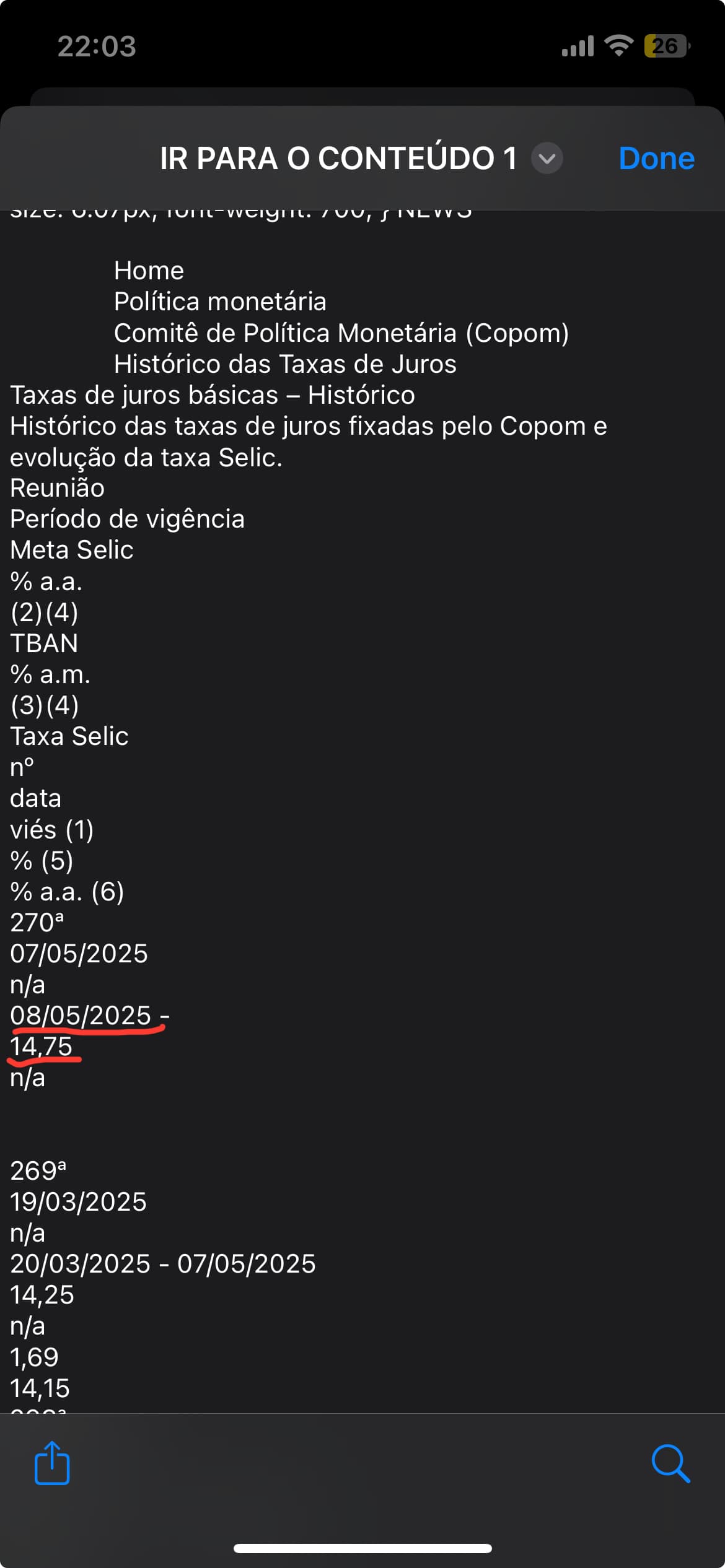
The problem is it doesn’t bring me the most recent date from the website and it doesn’t display the value I would like to display, which are those highlighted below:

Please, always share a link to your shortcut. Screenshots can be useful, but the actual “code” gives others something they can analyse while running. It is the only way to know you have an exact match as it eliminates human error (and effort), and not all aspects of a shortcut are visible in a screenshot so reproducing it can introduce differences as well as additional effort.

You are choosing the first item from the list of matches. You are not getting the March you want.

Is the desired information in the list of matches at all? If not then you can work on your original matching.

if it is, what non-fitst position is it in? Is it always in that position? You may just be able to choose the second or third position, etc.

if it is not in the same position each time, then the current matching strategy will not work and you need to identify a different uniqueness to work with.