Hi all, my first post on this site so I apologise if posting in an older thread is not the done thing.
While I am a long term Mac user I have never really used automation or the command line so far. However I have decided its time to learn.
I found this thread really useful as I am trying to create a service that cleans unwanted spaces from the selected text in any application. Referring to the screen shot above I duplicated the Quick Action and tried it with the result of all the words in the text being reversed. Unfortunately all of the newline characters are being removed which is undesirable. When the same command is run in the terminal the result included the line endings.
I have created an Awk command that removes multiple spaces which again works when run from the terminal but strips the line endings when run/called from automator.
Is this a know feature / fault of Automator or have I missed a setting? My workflow is below:
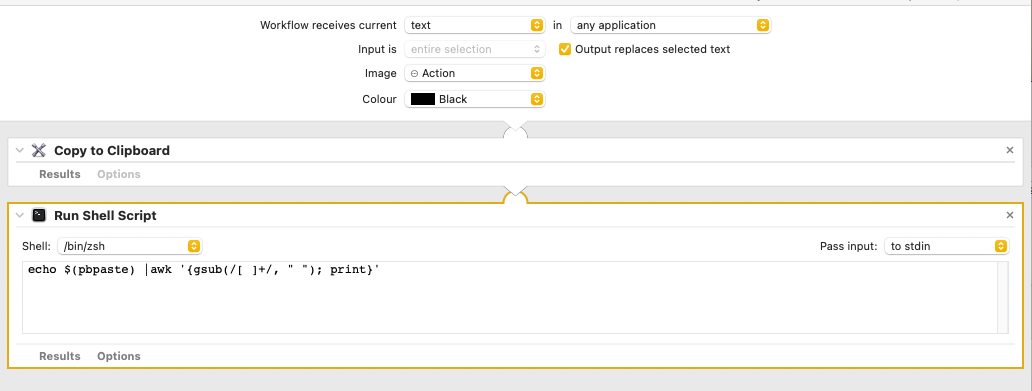
I know that Automator has been replaced but I need my something to remove extra spaces on Big Sur as the laptop is circa 2013.
best wishes
S