This is quite a different point if I understand correctly, and so should really be a new and separate topic. I don’t really use Numbers, so there may be other ways to do this that are easier, but a quick test like this…
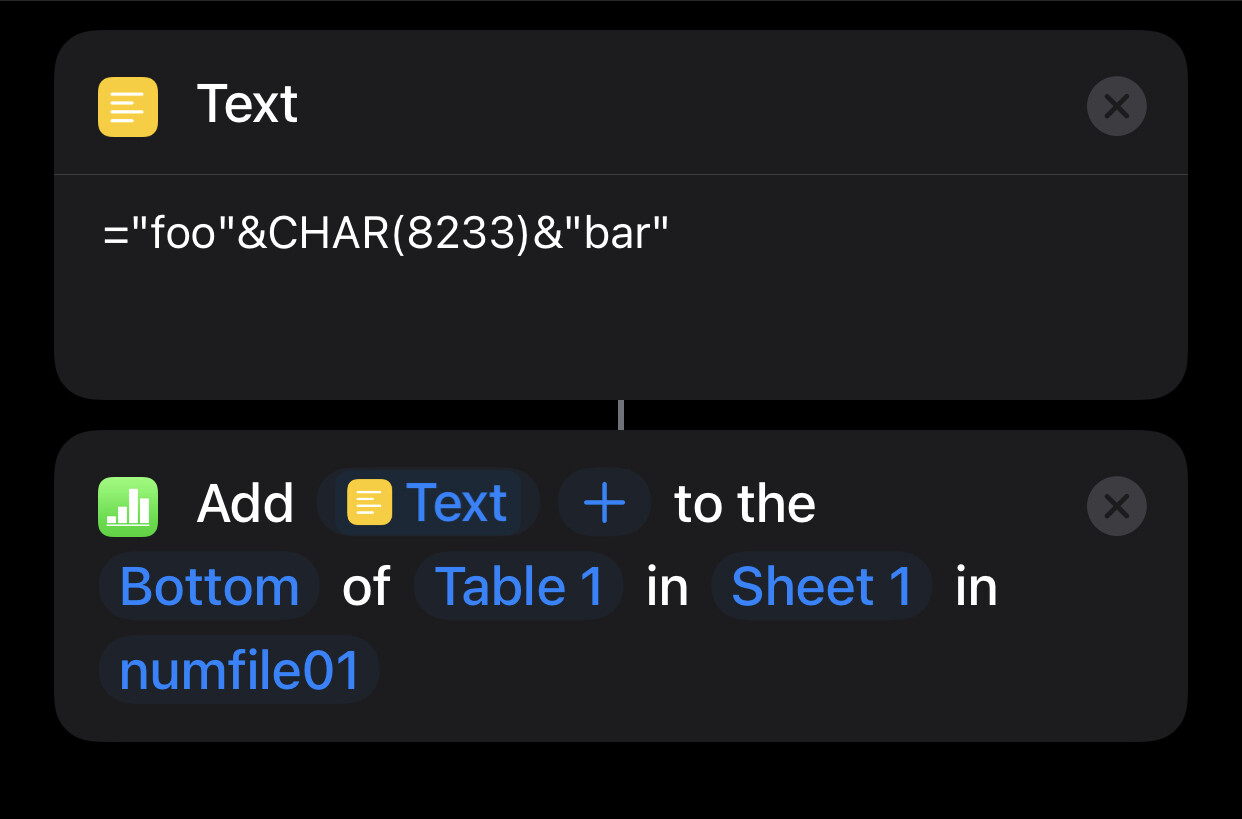
… gives me a multiline entry in a single cell in Numbers on iOS…
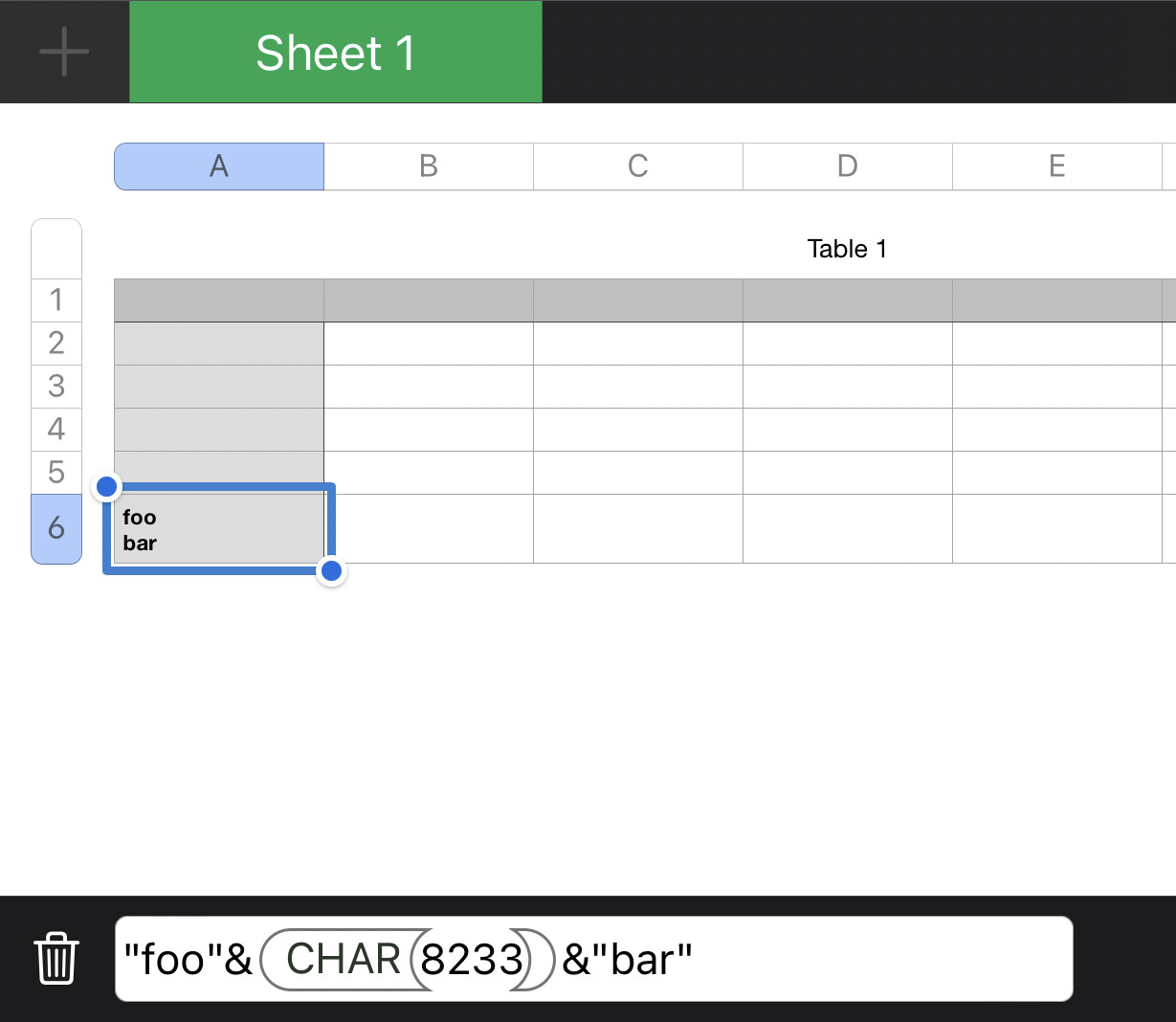
… which I think was the underlying how to question.
You should just be able to apply this formula-based concatenation approach in your Shortcuts repeat loop to build the content that you then add as one entry to Numbers outside of the loop. Something along the following lines.
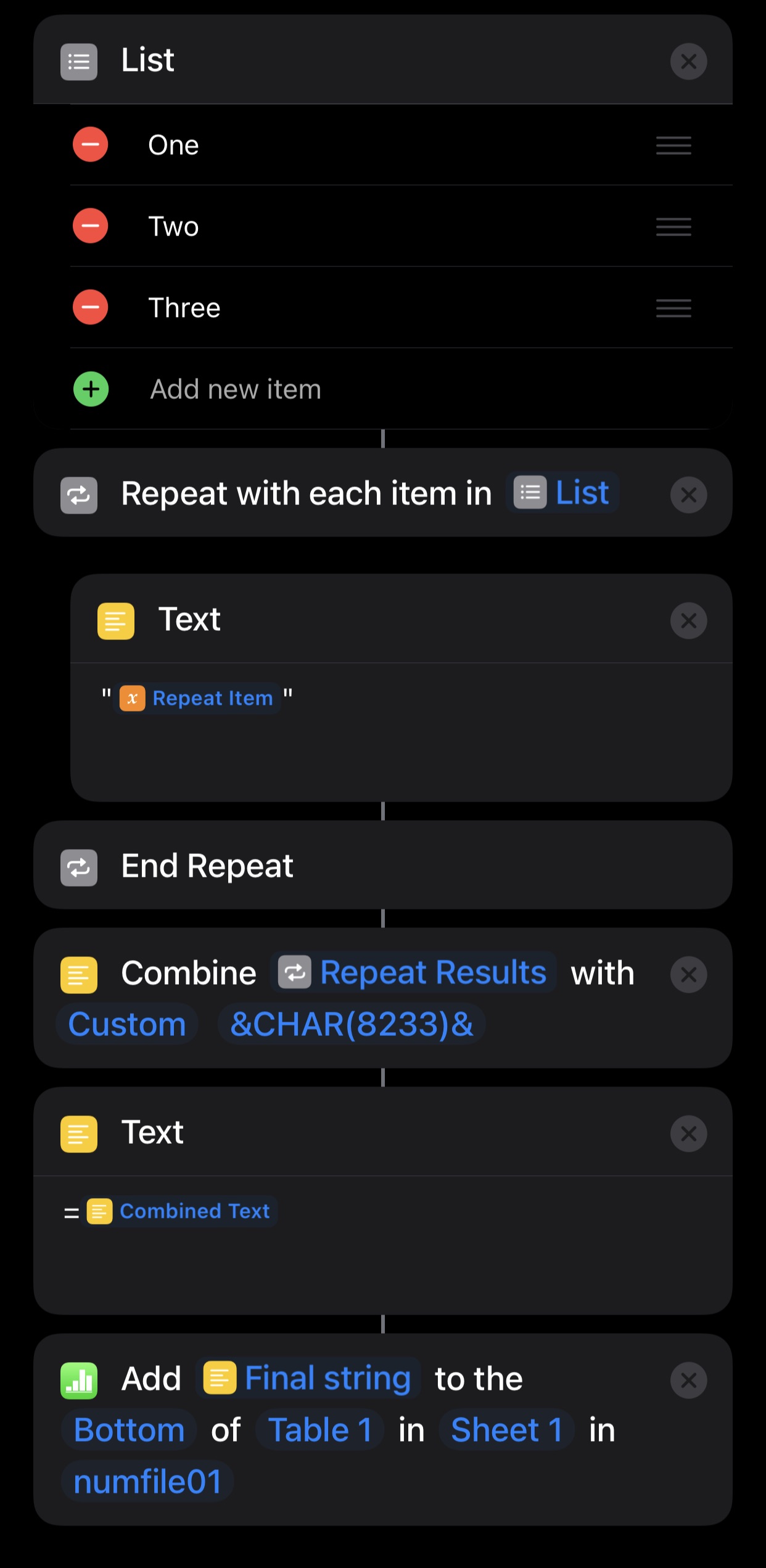
So the result is like the first time, just generated by a loop rather than a manual entry.
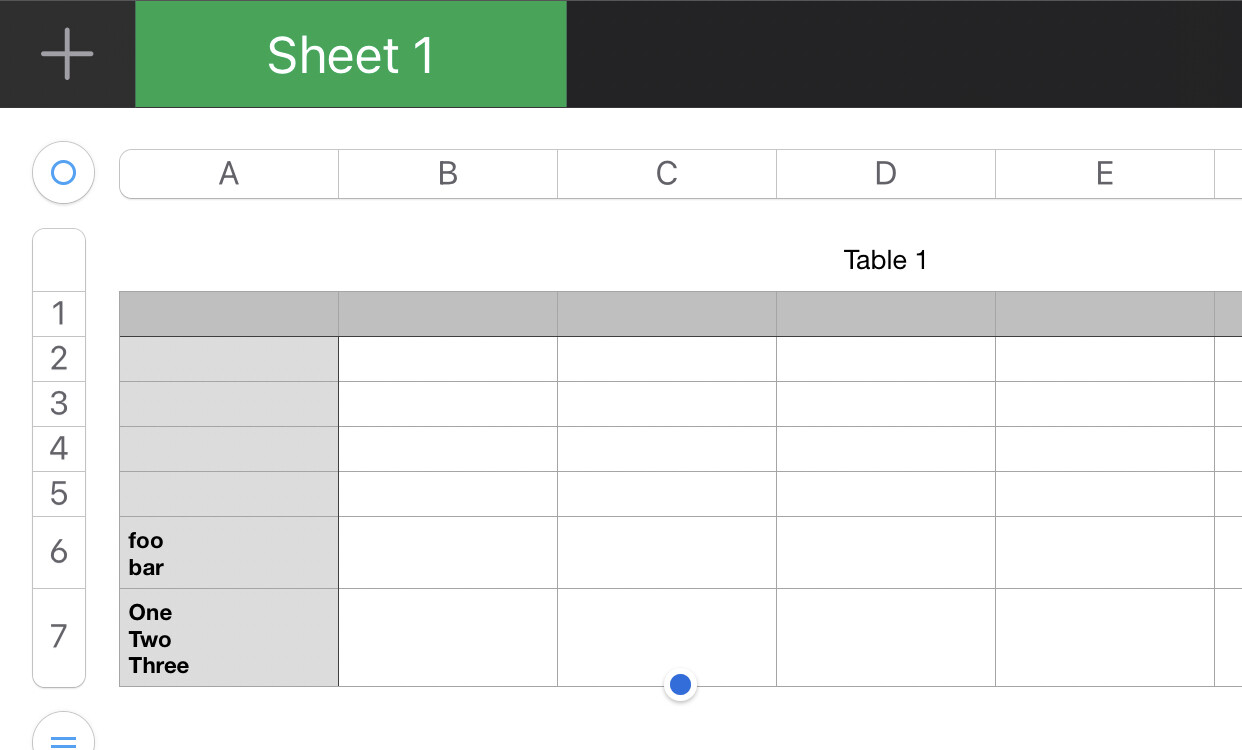
Hope that answers your question.