Time is actually a numerical measure of an elapsed standard period from a fixed point. Date/times are really just numbers, we’re just presenting them in a more readable form or in a form that makes them easier to work with for certain types of date time calculations. If you have a number representing a date/time the fundamentally, you do have a date time … it just may not be in your preferred format.
In Shortcuts you can commute between date/time and strings as long as it is into standardised formats that the app understands.
The example shortcut I posted actually includes an example of taking your original text based time representation and converting that into a date format that Shortcuts can use.
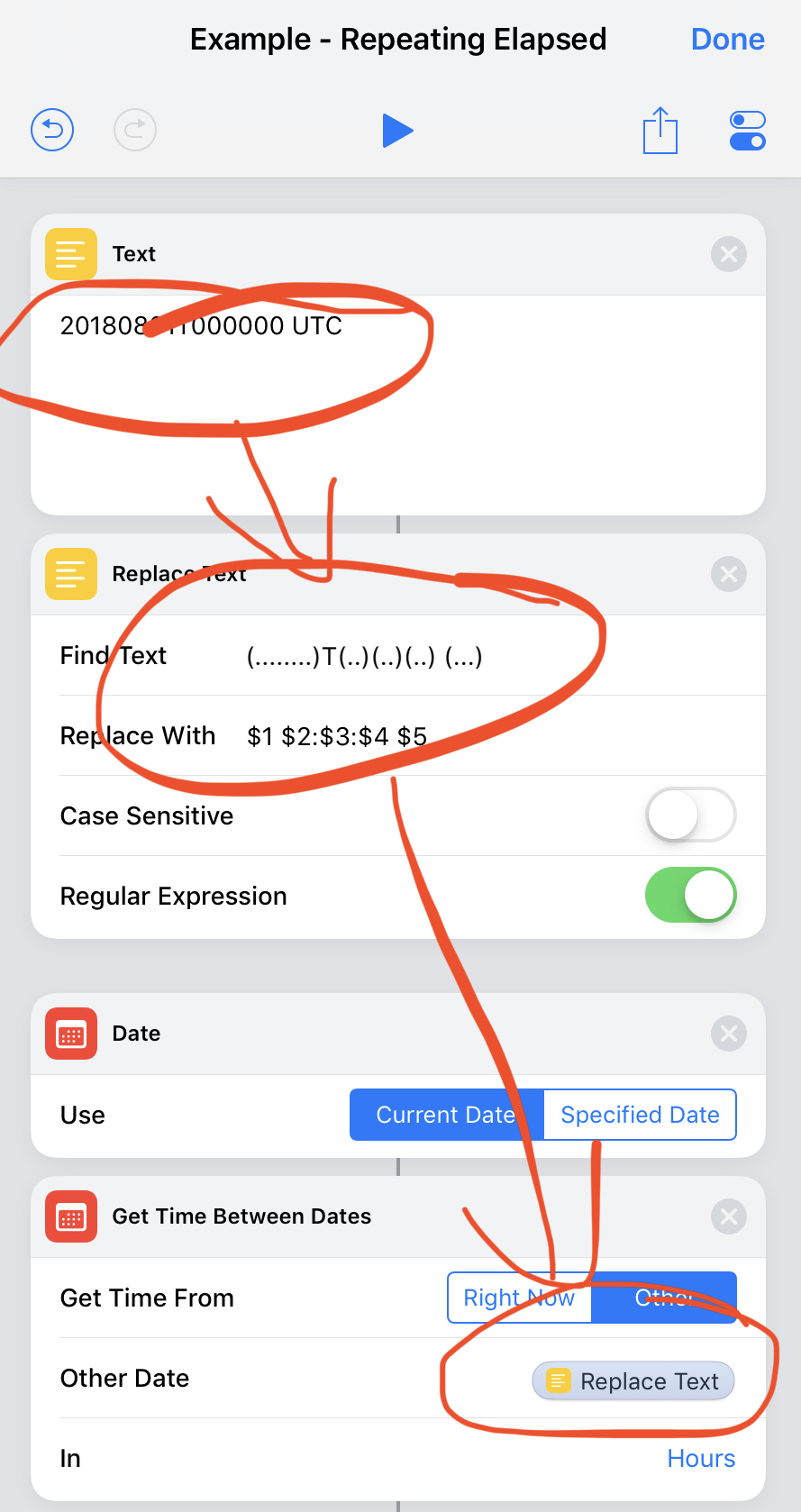
If necessary, you can coerce your numeric values to text and then operate on them just like I did above, but there’s a plethora of ways to attack conversions.