Use Data Jar’sGet Value and give it the key path. It returns whatever is at that key path. If it is a dictionary, it will return that dictionary.
Shortcuts uses an engine behind the scenes that lets it switch between data/object types. If you try out the View Content Graph action you can see the relationships for a variable.
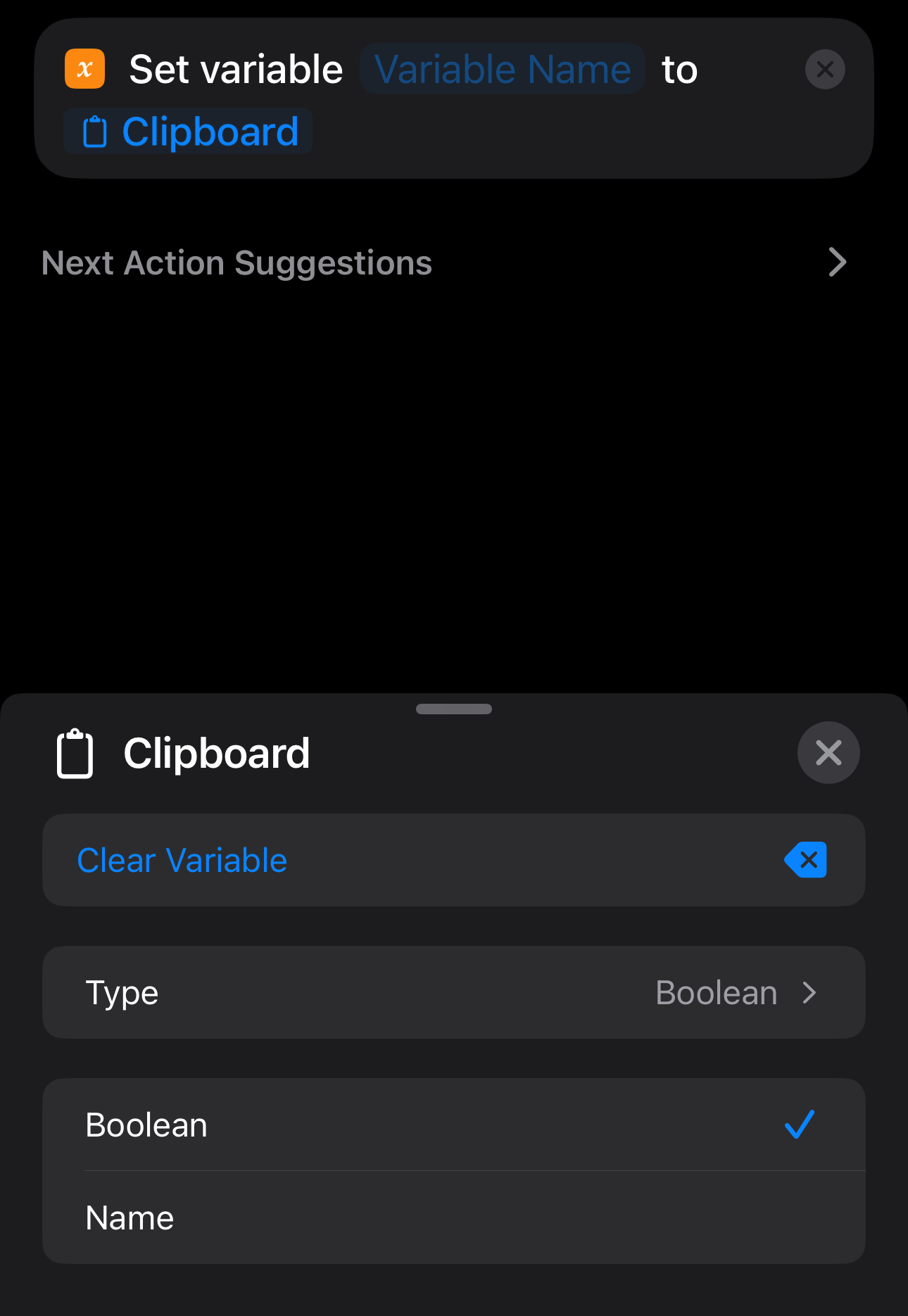
On iOS, tap on a populated variable. And note the Type property. You can change the type to specify or coerce between types.
Here I have added Clipboard as a variable, and perhaps it contains a number or string, but by changing the type, I can tell Shortcuts to treat it as a Boolean.
Hope that helps.